The 2026 pricing shift in one paragraph
The short version: in 2026, AI vendors are moving away from a single flat monthly subscription and toward a mix of credits, per-seat fees and pure usage-based (metered) billing — often all at once, layered into new tiers. As of mid-2026, the same tool you paid one predictable price for last year may now charge you a base seat fee plus credits that expire plus overage when you exceed a quota. That's the whole story. Prices didn't just go up; the shape of the bill changed, which makes it harder to compare tools and easier to overspend without noticing. The rest of this guide unpacks why it happened, the four billing models you'll now run into, what shifted at the big vendors, and a concrete seven-step audit to keep your spend flat even as the market gets more complicated. Verify any specific price yourself — this moves fast.
Speaking of juggling invoices — this is roughly the itch Zerocoder scratches. Instead of five logins and five renewal dates, you get 25+ AI tools behind one account and a single shared balance, plus free starter credits to try things before you commit. No card gymnastics, no code. Worth a look before your next renewal.
Why AI got more expensive in 2026
AI got more expensive in 2026 for three linked reasons: the compute behind each answer costs real money, the newer "reasoning" models burn far more of it per request, and the early era of below-cost "land-grab" pricing is ending as vendors chase profitability. As of mid-2026, running a frontier model at scale still means paying for scarce GPUs, electricity and data-center capacity — costs that don't fall as fast as software usually does. At the same time, investors who once tolerated deep losses now want margins. The result is price increases dressed up as "new tiers," plus a quiet shift toward billing you for exactly what you consume. None of this means AI is a bad deal — for many tasks it's still absurdly cheap per output — but the days of unlimited-feeling flat plans are thinning out. Treat any current price as a snapshot, not a promise.
Compute and GPU cost
Every prompt you send runs on specialized hardware, and that hardware is expensive to buy, power and cool. When a vendor advertised "unlimited" usage on a $20 flat plan, heavy users were effectively subsidized by light ones. In 2026 that math is being corrected. Vendors are capping the truly unlimited plans, adding fair-use throttles, or pushing power users onto metered tiers where each extra unit of compute is billed. If your workflow leans on the biggest models all day, expect that reality to show up on your invoice.
Reasoning models burn more tokens
The flagship "thinking" or "reasoning" models don't just answer — they generate long internal chains of tokens before they reply. That can multiply the token count of a single request several times over compared with a standard model. Because most metered pricing is per-token, a reasoning-heavy workflow can cost noticeably more even when your visible output looks the same length. The practical takeaway: reserve the expensive reasoning modes for tasks that genuinely need them, and route routine work to cheaper, faster models.
Land-grab pricing is ending
For a couple of years, vendors priced aggressively low to grab market share, betting that costs would fall and users would stay. In 2026, several of those bets are being cashed in. New tiers, higher entry prices and stricter limits are the visible signs that the subsidy era is winding down. This is normal for a maturing market — but it means the "set it and forget it" subscription you signed up for in 2024 deserves a fresh look. What was a bargain then may be mispriced for your usage now.
The four pricing models you'll now see
In 2026 you'll encounter four distinct AI pricing models, often blended within one product. Flat subscription is a fixed monthly fee for a defined set of features or a soft usage cap. Per-seat multiplies a price by the number of active users on your team. Credit bundles are prepaid packs of usage that you draw down and that frequently expire if unused. Usage/metered billing charges you per token, per image, per minute or per task, with no fixed ceiling. The trend is toward hybrids: a base seat fee plus included credits plus metered overage once you exceed them. Knowing which model you're on tells you where the risk lives — flat plans risk paying for idle capacity, while metered plans risk runaway bills during a busy month. The table below shows how each behaves, who it suits, and its main danger.
| Model | How you pay | Best for | Main risk |
|---|---|---|---|
| Flat subscription | Fixed fee per month/year | Steady, predictable daily use | Paying full price on light months |
| Per-seat | Price × active users | Teams where everyone uses it | Idle or occasional seats |
| Credit bundle | Prepaid usage, often expiring | Bursty or occasional work | Credits expiring unused |
| Usage / metered | Per token, image, minute or task | Variable, hard-to-predict volume | No cap = surprise overage |
Flat subscription
Flat plans are the easiest to budget: one number, one date, done. They reward heavy, consistent use and punish light use — if you touch the tool twice a month, you're overpaying. In 2026, watch for flat plans that added quiet fair-use limits, so "unlimited" now throttles after a threshold. A flat plan is still the right default for a tool you genuinely use every working day.

Per-seat
Per-seat pricing scales with headcount, which is fine when every seat is active and expensive when they're not. The classic waste here is buying ten seats because you have ten people, when only four actually log in. Before renewal, pull the actual active-user count. Many vendors now show last-30-day activity per seat — use it to right-size, and consider a shared pooled option if your team's usage is uneven.
Credit bundles
Credit models are increasingly common for design, presentation and generation tools — for example, a deck builder like Gamma tends to meter richer generations against a credit balance. Credits suit bursty work: buy a pack, spend it during a busy stretch, top up when needed. The trap is expiry. If your credits reset monthly and you don't use them, you've simply bought less than you paid for. Match the pack size to your realistic monthly volume, not your optimistic one.
Pure usage / metered
Metered billing is pay-as-you-go: a per-use tool like DeepL can charge by characters translated, and API-based models bill per token in and out. This is the fairest model when your volume swings wildly, because you pay for exactly what you use. It's also the scariest without guardrails — a runaway script or a viral week can produce a bill nobody approved. Never run metered pricing at scale without hard usage caps and billing alerts.
What changed at the big vendors
At the major vendors in 2026, the common thread is more tiers and more granular billing rather than one simple price. OpenAI, Anthropic, Google and Midjourney have each expanded their lineups — adding higher-priced "pro/max" tiers for power users, reasoning modes billed at premium rates, and clearer separation between consumer subscriptions and API metering. Specific numbers move constantly, so treat everything here as directional and verify current pricing on each vendor's own page before you decide. What matters more than any single figure is the pattern: entry tiers still exist and are often enough, but the "one plan fits all" simplicity is gone. If you want a head-to-head on where two of the biggest models land on cost and quality, our breakdown of how Claude and ChatGPT compare on price and value is the companion piece to read next.
OpenAI
OpenAI continues to run a consumer subscription (the familiar Plus tier), higher-priced pro/max tiers aimed at heavy users, and separate metered API pricing for developers. The ChatGPT price increase 2026 conversation is mostly about the top tiers and reasoning-mode usage, not the entry plan — but limits on the mid tiers have tightened. If you're a light chat user, the base paid tier is usually plenty; the expensive tiers only pay off if you're living in the reasoning models daily.
Anthropic
Anthropic offers Claude on consumer plans plus token-based API pricing, with premium rates for its most capable models and extended-thinking modes. The pattern mirrors the market: a reasonable entry subscription, and metered access where cost tracks how much you actually push through it. For teams building on the API, the model you choose per task matters more than the headline plan.
Google bundles Gemini into broader productivity subscriptions and also sells metered API access. That bundling can be a genuine bargain if you already pay for the surrounding suite — you may be getting AI features you're not counting. Check whether your existing workspace plan already includes capability you're separately paying another vendor for.
Midjourney
Midjourney remains subscription-based with tiers gated by fast-generation hours and concurrency. For occasional image work, the lowest tier plus careful use of relax/queued generation usually beats jumping to a higher plan. The "should I cancel Midjourney" question almost always comes down to how many images you truly ship per month versus how many you imagined you would.
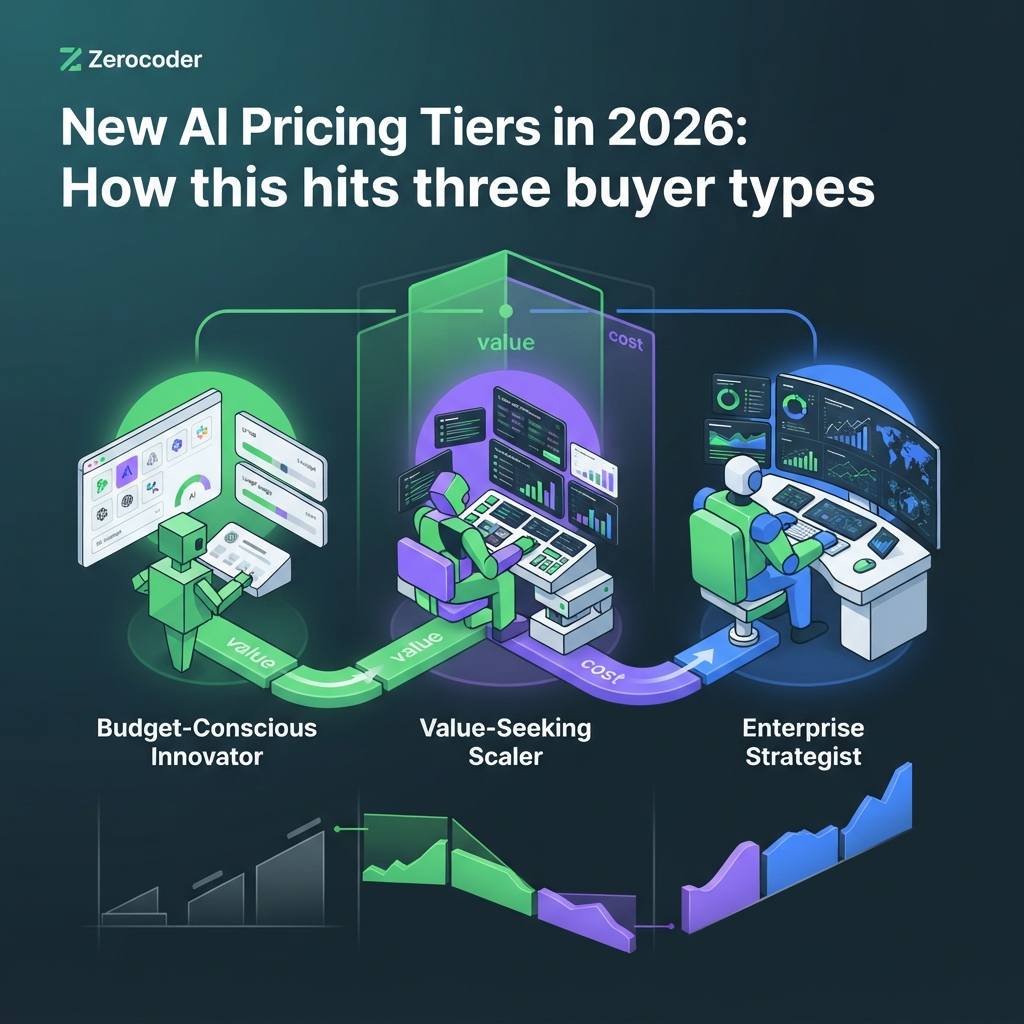
How this hits three buyer types
The new pricing lands differently depending on who you are: a solo freelancer feels rising flat fees directly on personal margin, a small team gets hit hardest by per-seat waste on idle accounts, and a no-code builder faces variable metered costs that scale with their own traffic. As of mid-2026, the rule of thumb by segment is simple. Occasional and solo users almost always overpay on top tiers — pick credits or the lowest paid tier. Teams should pay for active seats, not headcount, and audit logins quarterly. Builders shipping AI inside a product must treat model calls as cost of goods sold and cap them per user. The same $20-to-$200 spread of tiers that looks trivial for one person becomes a five-figure line item when multiplied across a team or a user base. Match the model to your usage pattern, not to the shiniest tier.
Solo freelancer or agency
Your AI tools come straight out of your margin, so every flat fee competes with your profit. The winning move is ruthless right-sizing: keep one strong general model, drop overlapping tools, and lean on credit or metered options for anything you use occasionally. If AI is central to what you sell, it's also worth turning that spend into revenue — our Earning with AI course walks through packaging AI-assisted work so rising tool costs get passed through as value, not absorbed as loss.
Small team
Per-seat pricing is where teams quietly bleed money. Ten licenses for a tool that four people actually open is a 60% overpay, month after month. Pull real activity data before every renewal, consolidate overlapping subscriptions, and centralize billing so one person can see the whole picture. A single owner watching all invoices catches the "we're still paying for that?" line items that scatter across departments otherwise.
No-code builder with variable usage
If you wire AI into an app or workflow, your costs move with your traffic, which is both fair and dangerous. Automation platforms like Zapier and Make bill by tasks or operations, and each step that calls a model adds metered cost on top. A viral day can turn a $30 month into a $300 one. Design for it: cache results, batch calls, pick the cheapest model that clears the quality bar, and put hard caps on every automation before it ships.
Step-by-step: audit and cut your AI spend
To cut your AI spend under the new pricing, run a structured audit: list every tool, tag each by how often you use it, map each recurring task to the cheapest model that does it well, kill duplicates, consolidate billing, set usage caps, and re-review quarterly. As of mid-2026, most people who do this honestly find 20–40% of their AI budget is waste — idle seats, forgotten subscriptions, top tiers bought for occasional use, and expensive models doing cheap jobs. The audit doesn't require spreadsheets you'll never open again; it's a one-hour pass you repeat every three months because pricing keeps shifting. Below is the exact sequence. Do it in order — the early steps expose spending you didn't know you had, and the later steps lock in the savings so they don't quietly creep back next quarter.
- List every tool. Pull the last three months of card and PayPal statements and write down every AI charge, including annual plans amortized monthly. If you want a realistic benchmark to compare against, our breakdown of what a real 2026 AI stack actually costs per month shows where typical spend lands.
- Tag by frequency. Mark each tool daily, weekly, monthly or "can't remember." Anything below weekly is a candidate for a credit or metered plan instead of a flat sub.
- Map task → cheapest model. For each recurring job, ask which model clears the quality bar for the least money. Our guide to how to route each task to the model that's cheapest for it saves real money by keeping premium reasoning off routine work.
- Kill duplicates. Three tools that all write copy, two that both generate images — pick one of each and cancel the rest. Overlap is the most common source of silent waste.
- Consolidate billing. Fewer invoices and renewal dates means fewer surprises. One shared balance across tools removes the "five cards, five renewals" problem entirely.
- Set usage caps. On every metered or credit tool, set a hard spend cap and a billing alert well below your pain threshold. This is your insurance against a runaway month.
- Review quarterly. Diary a 60-minute recheck every three months. Pricing and your own usage both drift; quarterly is the cadence that catches it before it compounds.
If steps 2–3 reveal that a lot of your spend is repetitive glue work, it's often cheaper to automate it than to keep paying humans-in-the-loop rates. The AI Automation: n8n, Make and AI Agents course teaches exactly this — building the flows that do the audited work at metered cost instead of per-seat cost.
6 mistakes people make under the new pricing
The six most expensive mistakes under 2026 AI pricing are: paying per-seat for idle seats, buying a top tier for occasional use, ignoring credit expiry, running metered plans with no usage cap, getting surprised by currency and regional differences, and never re-pricing your stack year over year. As of mid-2026, each of these is easy to make and easy to fix once you see it. They share a root cause — pricing changed shape while your habits stayed the same. You signed up under one model and kept paying as vendors layered new ones on top. The fixes below cost nothing but attention, and together they typically recover the 20–40% of waste the audit uncovers. Read them as a checklist against your own stack, not as abstract advice.
- Paying per-seat for idle seats. Match licenses to active users, not headcount. Check last-30-day activity before every renewal.
- Buying the top tier for occasional use. If you touch the tool a few times a week, the entry tier or a credit pack almost always wins. Top tiers only pay off for daily heavy use.
- Ignoring credit expiry. Prepaid credits that reset monthly are use-it-or-lose-it. Buy packs sized to realistic volume, not aspiration.
- No usage caps on metered plans. Every pay-per-use tool needs a hard cap and an alert. Without them, one bad script writes its own invoice.
- Currency and region surprises. Prices shown pre-tax, billed in a foreign currency, or higher in your region can add 20%+ you didn't budget for.
- Never re-pricing yearly. The plan that was a bargain in 2024 may be mispriced for you now. An annual full re-shop is the single highest-ROI habit.
Access and regional pricing gotchas

Beyond the sticker price, AI billing in 2026 carries access and regional gotchas that can inflate or interrupt your spend: VAT and sales tax added at checkout, materially different prices by country, and tools that suddenly stop working or become unavailable in your region mid-subscription. As of mid-2026, the advertised US-dollar figure is frequently not what you pay — local tax, currency conversion and regional pricing tiers all move the real number. It's also increasingly common for a tool to be reachable one week and blocked the next due to licensing, sanctions, or a vendor pulling back access in certain markets. If a tool you're paying for abruptly stops responding, that isn't always your fault or a bug — our guide to why an AI tool suddenly stops working covers the access, region and account reasons behind it. Always confirm the tax-inclusive price for your country before committing, and never build a critical workflow on a single tool you can't quickly replace.
The consolidation play: one balance vs many invoices
The consolidation play is straightforward: instead of holding five to eight separate subscriptions — each with its own login, renewal date, currency and tier — you route your usage through one platform with a single balance, and pay for what you actually use. As of mid-2026, this is the most direct antidote to the pricing sprawl this article describes, because it collapses the two things that make the new models painful: fragmentation (many bills to track) and idle capacity (flat fees for tools you barely touch). This is honestly where Zerocoder fits. You can browse 25+ AI tools in one place on one account, then compare it against a single flat balance versus your current pile of invoices. It won't be cheaper for every profile — a heavy daily single-tool user may still do better on that tool's own flat plan — but for anyone spreading usage across several tools, one balance usually wins on both cost and sanity. If your stack is genuinely tangled, you can also hire an automation expert to audit your stack and handle the migration for you.
What's next: where AI pricing goes in 2027
Looking to 2027, AI pricing is likely to move toward outcome-based billing for agents, more bundling of AI into existing software, and firmer price floors as the subsidy era fully ends. As of mid-2026, the early signals are already here: vendors experimenting with charging per completed task or resolved ticket rather than per token, productivity suites folding AI in "for free" to defend their subscriptions, and fewer aggressive discounts as everyone chases margin. For you, the direction of travel means two things. First, granular, usage-linked billing will keep spreading, so the caps-and-alerts discipline you build now pays off more over time. Second, bundling means you should regularly check whether software you already pay for has quietly added AI you're duplicating elsewhere. None of this is a reason to panic-buy or panic-cancel — it's a reason to keep your stack loose, your usage measured, and your review cadence quarterly. The winners under any future model are the people who match spend to actual use.
Frequently asked questions
Why is AI getting more expensive?
AI is getting more expensive in 2026 mainly because the compute behind each response is costly, newer reasoning models burn far more tokens per request, and vendors are ending their early below-cost "land-grab" pricing to chase profitability. Prices didn't only rise — billing shifted toward credits and metered usage. Many individual tasks remain cheap per output; verify current pricing before deciding.
Is usage-based or subscription pricing cheaper for me?
It depends on how steady your usage is. A flat subscription is cheaper if you use a tool heavily and consistently every working day. Usage-based (metered) pricing is cheaper when your volume swings or is occasional, because you pay only for what you consume. The rule of thumb: predictable daily use favors flat plans; bursty or light use favors metered or credits.
What is credit-based AI pricing?
Credit-based pricing means you prepay for a bundle of usage — credits — and draw them down as you generate images, decks, translations or other outputs. Different actions cost different amounts of credits. The key catch is expiry: many credit packs reset monthly, so unused credits vanish. Buy a pack sized to your realistic monthly volume rather than your optimistic one to avoid paying for capacity you never use.
Will AI prices keep rising in 2026?
Entry-level prices may hold or rise modestly, but the bigger 2026 trend is toward more tiers and more metered billing rather than a single climbing number. Premium reasoning modes and top "pro/max" tiers are where costs concentrate. Because pricing moves fast, treat any figure as a snapshot, check each vendor's current page directly, and re-review your stack quarterly to stay ahead of changes.
How do I lower my AI subscription costs?
Run a quick audit: list every AI charge from your statements, tag each tool by how often you use it, route each task to the cheapest model that does it well, cancel duplicates, consolidate billing, and set hard usage caps on metered plans. Most people find 20–40% waste — idle seats, forgotten subscriptions and top tiers bought for occasional use. Repeat the pass every quarter.
Do AI prices differ by country?
Yes. The advertised price is often pre-tax and in US dollars, so VAT or sales tax, currency conversion and regional pricing tiers can add 20% or more to what you actually pay. Some tools also charge different base prices by market, or become unavailable in certain regions entirely. Always confirm the tax-inclusive price for your own country before committing to a plan.
Is it worth paying for the top tier?
Usually only if you use the tool's most powerful features every day. Occasional and light users almost always overpay on top tiers — the entry paid tier or a credit pack delivers the same result for far less. Before upgrading, check your real usage data. Top tiers pay off for daily heavy reasoning or high-volume generation, not for the occasional big task.
Can one platform replace several AI subscriptions?
Often yes, if your usage is spread across several tools. A single platform with one balance replaces multiple logins, renewal dates and invoices, and you pay for what you use instead of flat fees on idle tools. It won't beat every case — a heavy daily single-tool user may still prefer that tool's own flat plan — but for multi-tool users, consolidation usually wins on cost and simplicity.
What happens to unused credits?
In most credit-based AI plans, unused credits expire — commonly at the end of each monthly cycle, though some vendors roll a portion over. Expired credits are money you paid for capacity you never used. To avoid it, buy packs matched to your realistic volume, track your balance, and check each vendor's specific expiry and rollover terms before purchasing, since policies vary widely.
How often should I review my AI stack?
Review it quarterly. AI pricing changes fast and your own usage drifts, so a 60-minute recheck every three months catches idle seats, expired credits, mispriced tiers and duplicate tools before they compound. Do a deeper annual re-shop where you re-price every subscription against current alternatives. This quarterly-plus-annual cadence is the single highest-return habit for keeping AI spend flat.

