You've seen the demos. Someone types "build me a CRM with Stripe billing and a dashboard" into Lovable or Base44, and ninety seconds later there's a running app on screen. The clip goes viral, the comments fill with "no-code is dead," and if you make a living wiring together Bubble apps for clients, your stomach drops a little. That reaction is honest, so let's be honest back. Prompt-to-app tools are genuinely impressive, and they really do eat part of the work you do today. But "eating part of the work" and "eating your job" are very different claims, and the gap between them is where your career actually lives. This article gives you a data-backed, non-hype answer: what AI compresses (roughly the boring 60%), what it amplifies (the human 40%), who is genuinely at risk, and a concrete 90-day plan to come out ahead instead of anxious.
By the way — the fastest way to see for yourself that AI is a co-pilot, not a replacement, is to actually build with both in one place. Zerocoder gives you no-code builders and 25+ AI models under a single account and a single balance, with free starter credits — so instead of theorizing about how tools compete, you can wire them together and watch what each one is genuinely good at.
1. The short answer: no — but the job description just changed
No, AI will not replace no-code developers wholesale in 2026 — but it is replacing specific tasks, not the role. AI app builders like Lovable and Base44 can now turn a prompt into a working prototype in minutes, which eliminates much of the repetitive layout-and-CRUD work that once filled a junior's day. What they can't do is elicit fuzzy requirements from a non-technical client, model a real business's data, integrate legacy systems, or take accountability when a payment flow breaks in production. The developers most at risk are those whose entire value was clicking together generic templates. The ones who thrive treat AI as leverage: they let it draft, then they architect, correct, integrate, and own the result. Net effect — fewer hours per app, higher-value work per developer, and demand shifting from "builder" to "builder-plus-architect."
What "replace" actually means (tasks vs roles)
Every job is a bundle of tasks, and AI doesn't automate jobs — it automates tasks. When ATMs arrived, the number of bank tellers went up, because each branch got cheaper to run, so banks opened more branches and pushed tellers toward relationship work. The same shape applies here. When building the first draft of an app drops from two days to twenty minutes, the cost of shipping software falls, so more people ship more software, and someone still has to make that software correct, secure, and maintainable. If you're new to the field and the vocabulary here feels slippery, our complete guide to zero-code development is a clean place to anchor the terms before you read on.
The honest exception — who is at risk
Reassurance without honesty is useless, so here's the blunt part. If your entire offer is "I click together a template you could have described in one sentence," AI is coming for that, and quickly. Landing pages, simple contact-form sites, single-table CRUD apps, throwaway MVPs — the floor of the market is being automated, and price pressure there is real. The developers who feel this most are the ones competing purely on speed and cheapness for generic work. The escape hatch is not to work faster than the machine. It's to move to work the machine can't own: complex logic, real integrations, and accountability. The rest of this article is about how to do exactly that.
2. What AI app builders can genuinely do in 2026
In 2026, AI app builders can genuinely take a plain-language prompt and produce a running, reasonably designed application — front end, basic data model, auth, and simple business logic — in minutes rather than days. Prompt-to-app tools generate full-stack scaffolds you can preview and deploy; AI features baked into classic platforms auto-build workflows, write formulas, and design pages from a sentence. This is not a toy. For prototypes, internal tools, and first drafts of client work, the productivity jump is real and worth adopting today. The catch is consistent: these tools are excellent at the first 80% of a well-understood, common problem and unreliable at the last 20% that makes an app actually shippable — the edge cases, the integrations, the data integrity, the "no, the client meant something else entirely." Understanding exactly where the magic ends is the difference between using AI as leverage and getting burned by it.
Prompt-to-app: Lovable, Base44, and the "type an app" wave
Lovable and Base44 are the poster children of prompt-to-app. You describe what you want in a chat, and the tool generates a working application with a database, pages, and logic that you can iterate on conversationally ("make the header sticky," "add a status field to leads"). For a functional prototype, a hackathon build, or an internal tool nobody's life depends on, this is fantastic and often genuinely finished. Where it strains is the moment requirements get specific and interconnected — multi-tenant permissions, a billing edge case, a migration that can't lose data. The tool will still confidently produce something, and that confidence is exactly the trap.
AI inside classic no-code (Bubble AI, FlutterFlow AI, Webflow AI)
Prompt-to-app isn't the only AI story — the platforms you already know shipped AI inside themselves. Bubble can generate workflows and app skeletons from a description; FlutterFlow uses AI to scaffold screens and logic for native mobile; and Webflow layers AI over its visual designer for layout and copy. This is the more durable pattern for professionals, because you keep the platform's control, exportability, and depth while AI removes the tedious keystrokes. If you want a grounded look at this integration rather than my summary, we wrote a whole piece on how no-code and AI already work together in app development.
Where the demo magic ends
Demos are curated. The prompt was chosen because it works, the data is fake, nobody clicks the weird path, and no one asks "what happens when two users edit this at once?" In real projects the magic ends at four predictable places: ambiguous requirements, connections to systems the AI has never seen, data models that must survive real usage, and accountability when something breaks at 2 a.m. Tools that write code are also getting good — Cursor lets developers steer AI through a real codebase — but even there, a human decides what "correct" means. The magic ends exactly where judgment begins.
3. What AI still can't do (the durable no-code moat)
AI still can't reliably do the parts of no-code development that require judgment, context, and responsibility — which happen to be the highest-paid parts. It can't sit with a non-technical client and extract what they actually need from what they say they want; requirements-gathering is negotiation, not transcription. It can't model a messy real business's data so it stays consistent as the company grows, or integrate a decades-old legacy system with undocumented quirks. It can't truly debug its own opaque output — when an AI-generated flow silently corrupts records, a human has to reason about why. And it can't be held accountable: no prompt signs an SLA, carries liability, or answers to a client when a payment breaks. Maintenance, security, compliance, and ownership all land on a person. These aren't temporary gaps waiting for the next model — they're the durable moat, because they're about responsibility, not raw capability.
Requirements, edge cases, and "the client doesn't know what they want"
The hardest part of most projects isn't building — it's figuring out what to build. Clients describe symptoms, not systems. They forget the exception that happens to drive half their revenue. They change their mind when they see the first version. Turning that fog into a spec is a human skill of listening, challenging, and prototyping to think. An AI will happily build precisely the wrong thing, beautifully, because it optimizes for a plausible answer to the prompt it was given — not the problem behind it.
Data modeling, integrations, and debugging the black box
Anyone can make one screen. Making data stay correct across dozens of workflows, users, and months of edits is the actual craft, and AI-generated schemas tend to be naive — fine for a demo, fragile in production. Integrations are worse: real businesses run on a specific Stripe setup, a particular CRM, a quirky internal API. And when the AI's output misbehaves, you're debugging a black box you didn't write. Reading, understanding, and refactoring generated logic is now a core no-code skill, not an optional one.
Ownership, maintenance, and accountability
Software isn't shipped once; it's owned for years. Someone has to patch it, secure it, adapt it when a dependency changes, and stand behind it when it fails. That accountability is the deepest moat, and it's why the "should I even bother" crowd should read our take on whether no-code is still worth learning before deciding the field is closing. It isn't — the entry point just moved up a level.
4. Data & signals: is no-code actually shrinking or growing?
The data says no-code is growing, not shrinking — even as AI accelerates. Industry analysts consistently project the no-code/low-code market to keep expanding at double-digit annual rates through the late 2020s, with Gartner having estimated that a large majority of new applications will involve low-code or no-code tooling. Job boards still list steady demand for no-code and automation specialists, and freelance marketplaces show clients hiring builders to finish, fix, and integrate what AI drafts started — a category that barely existed two years ago. The nuance behind the headline: demand at the ultra-simple end is softening because AI now covers it, while demand for capable builders who can handle real complexity is rising. In other words, the market isn't contracting; it's polarizing. The bottom falls out, the middle and top get busier. That's not a field dying — that's a field maturing, which is a very different survival question.
If your specific worry is money — whether rates hold up as AI spreads — the picture is more encouraging than the doom clips suggest, and we broke down what no-code developers actually earn in detail. The short version: generic template work commoditizes, but integration-and-architecture work commands higher rates precisely because AI raised client expectations for what a finished app should do. And the hiring side is alive: browse current No-Code Developer jobs and you'll see roles asking for exactly the AI-plus-no-code blend this article describes, not despite AI but because of it.
5. The new role: the AI-augmented no-code developer
The role that wins in 2026 is the AI-augmented no-code developer: someone who drives AI builders instead of competing with them. They prompt tools like Lovable, Bubble AI, or a code assistant to produce a first draft in minutes, then do the work that actually creates value — reviewing and refactoring the output, correcting the data model, wiring real integrations, hardening edge cases, and owning the deployment and maintenance. They've shifted from typist to editor, from bricklayer to architect, from "person who builds the thing" to "person accountable for the thing working." Crucially, they're faster and more valuable at once, because AI removes the low-value keystrokes while their judgment covers everything AI can't. This is not a defensive posture; it's an upgrade. The builder who used to ship one app a week can now scope, direct, correct, and own three — and charge for outcomes, not hours spent dragging elements onto a canvas.
From "builder" to "editor + architect + operator"
Think of your job as three hats you now wear more and drag less. As architect, you decide the data model, the structure, and how pieces connect before any AI touches it. As editor, you treat AI output as a rough draft to be reviewed, corrected, and refactored — never trusted blind. As operator, you deploy, monitor, secure, and maintain the live product. AI is genuinely good at the middle-of-the-page execution; you're indispensable at the beginning (what to build) and the end (keeping it alive). Lean into the ends.
A day-in-the-life comparison (2022 vs 2026)
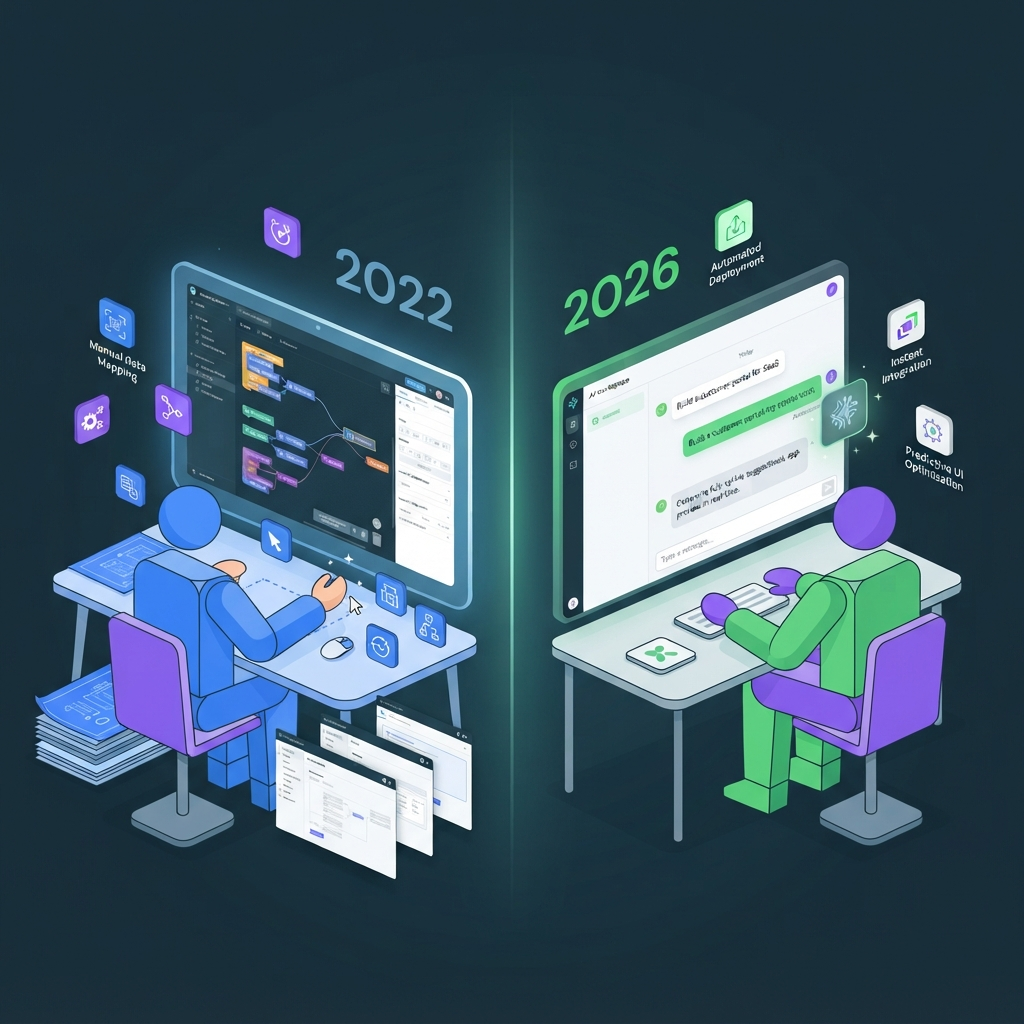
In 2022, a client project looked like: two days dragging elements and configuring workflows by hand, a day styling, a day debugging your own build. In 2026 it looks like: an hour with the client pinning down real requirements, twenty minutes prompting an AI builder to scaffold it, then most of your time on the parts that matter — fixing the data model AI got naive, connecting their actual Stripe and CRM, handling the edge cases, and setting up monitoring. Same day length, radically different value. You stopped selling keystrokes and started selling judgment.
6. Step-by-step: future-proof your no-code career in 90 days
To future-proof your no-code career in 90 days, run five moves in order: (1) Audit your current tasks and mark which ones AI already does well — those are the ones to stop selling by the hour. (2) Move up the value chain into architecture, data modeling, and integrations, the work AI can't own. (3) Add automation with tools like n8n or Make so you deliver whole workflows, not just apps. (4) Learn to drive AI builders — practice prompting, reviewing, and refactoring their output until it's a reflex. (5) Package outcomes, not hours, pricing by the business result you deliver. Done together, these turn AI from a threat into your highest-leverage employee: it drafts, you direct and own. Ninety days is enough to reposition, because you're not learning to code from scratch — you're adding judgment layers on top of skills you already have.
Step 1 — Audit which of your tasks AI already eats. List everything you did on your last three projects. Highlight the parts a prompt-to-app tool could plausibly do in minutes. That highlighted list is your commoditization risk — and your cue to stop competing there.
Step 2 — Move up the value chain. Deliberately get better at the un-automatable parts: interviewing clients, designing durable data models, and planning integrations before you build. This is where rates hold and grow.
Step 3 — Add AI automation to your toolkit. Learn an automation layer so you sell end-to-end workflows, not isolated apps. Make and n8n let you connect apps, AI models, and business systems into things that run themselves — and our AI Automation: n8n, Make and AI Agents course takes you from zero to shipping real agents.
Step 4 — Learn to drive AI builders, not compete with them. Get fluent in prompting and correcting AI output on the platforms clients actually pay for. If Bubble is your bread and butter, the Bubble Beginner's Course gives you the depth to catch what AI gets wrong, and the AI Website Builder course teaches the prompt-to-site workflow directly so you can charge for driving it.
Step 5 — Package outcomes, not hours. When AI makes building fast, hourly billing punishes your efficiency. Price the result — "a working booking system that cuts no-shows," not "40 hours of Bubble work." Outcome pricing is the single biggest lever against AI-driven rate compression, because it decouples what you earn from how long the keystrokes take.
7. Tool stack for the AI-augmented builder (2026)
The 2026 AI-augmented stack has three layers: a build layer (where the app lives), an AI layer (that drafts and assists), and an automation layer (that connects everything and runs workflows). You don't need all of it — you need one solid tool per layer matched to your niche. Prompt-to-app tools are great for speed and prototypes; classic platforms like Bubble, FlutterFlow, and Webflow give you control and exportability for client work; automation tools turn isolated apps into living systems; and AI models sit across all of it, drafting logic, copy, and data. The mistake is treating these as competitors. In practice they're a pipeline: AI drafts, the build layer holds the product, automation wires it into the business, and you own the whole chain. Here's how the layers map to who you are and what you're shipping.
| Layer | Tools | What it does | Who it's for |
|---|---|---|---|
| Build (prompt-to-app) | Lovable, Base44 | Type an app, get a running draft in minutes | Fast prototypes, internal tools, MVPs |
| Build (classic no-code) | Bubble, FlutterFlow, Webflow | Full control, depth, exportable client-grade apps | Freelancers and agencies shipping for clients |
| AI layer | Code + model assistants like Cursor, plus in-platform AI | Drafts logic, copy, formulas; assists refactoring | Everyone — it's the co-pilot across layers |
| Automation layer | Make, n8n | Connects apps, AI, and business systems into workflows | Builders selling outcomes, not just screens |
You can assemble a version of this whole stack without a wall of separate subscriptions — browse all 25+ AI tools to see which pieces you actually need before you commit to anything.
8. Common mistakes no-code developers make about AI
The costliest mistakes no-code developers make about AI cluster into four traps. First, ignoring it — refusing to touch AI builders on principle, which just means a competitor delivers the same work in a third of the time. Second, over-trusting it — shipping AI output without reviewing the data model or edge cases, then eating the support cost when it breaks. Third, competing on price against tools that approach zero marginal cost, a race you cannot win at the generic end of the market. Fourth, not niching — staying a generalist "I build apps" freelancer when the money has moved to specialists who own a domain (bookings for clinics, inventory for retailers) that requires context AI doesn't have. Avoiding these four is most of the battle. The through-line: use AI aggressively, trust it skeptically, price on value, and go narrow enough that your judgment is the product.
The niching point deserves emphasis. When a client can type an app themselves, "I know Bubble" stops being a reason to hire you. "I've built forty patient-scheduling systems and I know every compliance edge case" still is. Depth in a domain is the moat AI can't cross, because it's grounded in messy real-world context no training set fully captures. And when clients decide the build is beyond a prompt, they go looking for exactly that depth — many arrive on marketplaces to hire a no-code developer who can own the whole thing, AI-drafted or not.
9. Pricing & access — what it costs to work this way
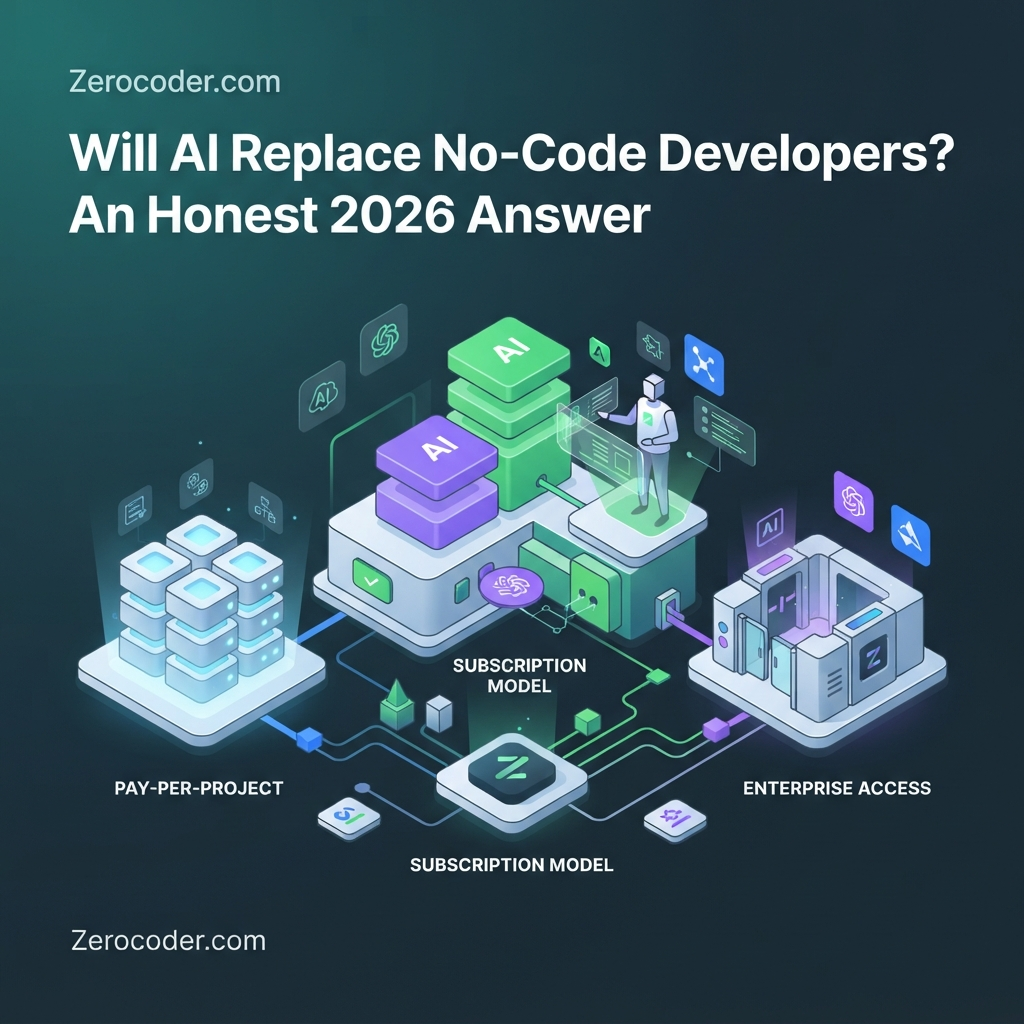
Working as an AI-augmented builder costs less than the tool-subscription anxiety suggests — if you avoid the classic mistake of stacking six separate paid plans "just in case." The naive setup is a monthly bill for a prompt-to-app tool, another for your no-code platform, another for each AI model, another for automation, and a code assistant on top; individually cheap, collectively a few hundred dollars a month before you've earned a cent. The smarter path is to start with one build tool you'll actually use, one automation tool, and shared access to AI models, then add paid tiers only when a paying project demands them. Free starter credits and free tiers mean you can learn the entire workflow — draft with AI, correct it, wire an integration, ship — without a real budget. The point isn't spending more to keep up with AI; it's spending deliberately so your tooling scales with revenue instead of ahead of it.
This is exactly why bundling matters. Instead of juggling subscriptions and separate logins, a single workspace with one balance across many models and builders lets you experiment cheaply, and you can compare what's included on the pricing page before you scale up. The developers who stay calm about AI's arrival tend to be the ones who've actually built with it for an afternoon — cost is rarely the real barrier, inertia is.
10. What's next: no-code + AI over the next 24 months
Over the next 24 months, expect no-code and AI to fuse rather than fight. The clearest trend is agents: AI that doesn't just draft an app but operates workflows, watches for problems, and takes multi-step actions — which raises the ceiling on what a single builder can deliver and pushes even more value toward the person orchestrating it. Prompt-to-app quality will keep climbing, the commodity floor will keep rising, and the premium for real integration and domain depth will widen alongside it. Low-code and no-code won't become obsolete; they'll become the layer humans use to supervise AI's work, because visual platforms are how you inspect and correct a black box. The safe bet isn't picking AI or no-code — it's becoming the person fluent in both. The tools will change every few months. The durable skill — turning fuzzy human problems into owned, working, maintained software — will not.
11. Frequently asked questions
Will AI replace no-code developers entirely?
No. AI is replacing specific repetitive tasks — generating layouts, basic CRUD, first drafts — not the role. Requirements-gathering, data modeling, integrations, debugging, maintenance, and accountability still need a human. The job shifts from "builder" to "builder-plus-architect," with fewer hours per app and more value per developer, not fewer developers overall.
Is no-code dead in 2026?
No — it's growing and polarizing. The market keeps expanding at double-digit rates, and Gartner projects most new apps will involve low-code or no-code tooling. Demand at the ultra-simple end is softening because AI covers it, while demand for builders who handle real complexity is rising. The field is maturing, not dying.
Are AI app builders like Lovable better than Bubble?
They're better at different things. Lovable and Base44 win on speed for prototypes and internal tools — type a prompt, get a running draft. Bubble wins on control, depth, and exportability for client-grade apps you'll maintain for years. Most professionals use both: prompt-to-app for a first draft, a classic platform to build the real thing.
Which no-code skills can't AI replace?
The judgment-and-responsibility skills: extracting real requirements from non-technical clients, modeling data that stays correct at scale, integrating legacy and third-party systems, debugging opaque AI output, and owning security, maintenance, and accountability. A prompt can't sign an SLA or be blamed when a payment flow breaks — those durable, human-owned tasks are the moat.
Should I still learn no-code if AI can build apps?
Yes — but learn it as the layer you use to drive and correct AI, not compete with it. AI makes building faster, which raises demand for people who can architect, integrate, and own the result. Learning no-code plus how to steer AI builders is one of the higher-leverage skill combinations you can pick up in 2026.
Do no-code developers still get hired in 2026?
Yes. Job boards and freelance marketplaces still show steady demand, increasingly for builders who can finish, fix, and integrate what AI drafts. Roles now often ask for an AI-plus-no-code blend. The ultra-simple template work is commoditizing, but hiring for capable builders who handle complexity is rising, not falling.
Will "vibe coding" replace no-code platforms?
It complements them more than it replaces them. "Vibe coding" — prompting an app into existence — is great for speed and drafts, but the output still needs review, correction, real integrations, and maintenance, which is where visual platforms and human judgment come in. Expect them to fuse: AI drafts, no-code inspects and hardens.
How do I add AI to my no-code workflow?
Start small: use a prompt-to-app or in-platform AI to draft, then review and refactor its output by hand. Add an automation layer like Make or n8n to connect apps, AI, and business systems into workflows. Practice prompting and correcting until it's a reflex, and price the outcomes you deliver rather than the hours saved.
Is low-code becoming obsolete?
No. Low-code is becoming the layer humans use to supervise and correct AI's output, because visual tools are how you inspect a black box. As AI generates more software, the need to review, integrate, and maintain it visually grows. Low-code's role shifts toward oversight and depth rather than disappearing.
How much can an AI-augmented no-code developer earn?
More than a generic template builder, because you deliver more value per project and can price on outcomes. Rates for architecture, integration, and domain-specialist work hold up or rise as AI raises client expectations, while commodity work compresses. See our detailed breakdown of what no-code developers actually earn to benchmark your niche and pricing.
The verdict, and your one next step
Here's the honest bottom line. AI is not deleting no-code developers — it's deleting the boring, repetitive, low-value slice of the work and handing you the rest with leverage attached. The builders who feel threatened are the ones whose whole value was speed at generic tasks. The builders who thrive treat AI as a co-pilot: it drafts, they architect, correct, integrate, and own. The gap between those two outcomes isn't talent — it's a decision, and you can make it this quarter. Pick one build tool, one automation tool, and start driving AI instead of racing it. The single most useful next step is to stop reading about it and build something with both for an afternoon: try 25+ AI tools and no-code builders free in one workspace, wire an AI model into a real app, and see for yourself which one is genuinely good at what. Twenty minutes in, the fear usually turns into a plan.

