Paste "write me a landing page for my app" into any model and you get the same page back every time: a headline with a colon in it, three benefits about streamlining your workflow, and a closing line promising seamless solutions for modern teams. The model is not broken. It was asked to invent the four things it cannot know — what you charge, who you are talking to, what stops them buying, and what proof you actually hold. The fix is not a better model or a longer prompt. It is prompting one section at a time, with those inputs handed over in writing. Below are ten prompts that do exactly that. Each comes with the variables it needs, an example of what a usable output looks like, and the specific thing to reject before the copy goes anywhere near a page.
By the way — if you plan to run the same section brief through more than one model and compare the copy, it helps to have them behind a single login. Zerocoder keeps 25+ AI tools in one workspace on one balance, so there's no juggling separate subscriptions while you draft a hero, a pricing block and the images that sit next to them. Starter credits are free, and none of it needs code.
The ten prompts, in running order:
- Offer clarity brief
- Above the fold: headline, subhead, CTA
- Value proposition and "why now"
- Features → benefits rewrite
- Objection handling block
- Social proof and testimonial framing
- Pricing section copy
- FAQ that removes friction
- Message match: ad → page
- SEO wrapper: title, description, H1, image alts
1. Why "write me a landing page" fails
A landing page prompt is a written brief that hands a model the facts it cannot infer — offer, audience, price, objection, proof, tone, desired action — and asks for one named section of copy rather than a whole page. One-shot prompts fail because a page is five or six different writing jobs with different constraints, and a model asked to do all of them at once averages them into house style. Scope is the lever. When we ran the same offer through a single "write the whole page" prompt and then through six section prompts, the one-shot draft produced two usable lines out of roughly 400 words; the sectioned run produced usable copy for the hero, the benefit table and the FAQ on the first pass, with the pricing block needing one retry. Same model, same offer, same ten minutes.
The three things a model has to guess (and gets wrong)
Offer specificity. Left to guess, models write about categories, not products. "Project management software" instead of "a shared inbox for two-person law firms". Categories cannot be chosen; products can.
Audience sophistication. A market that has seen twenty competitors needs a mechanism, not a promise. A market that has never seen one needs the promise and nothing else. Models default to the middle, which lands with neither.
Proof. This is the dangerous one. Asked for social proof with no proof supplied, most models will produce plausible testimonials with invented names and a "4.8 from 2,000 reviews" line. That is not a style problem, it is a liability.
Section-by-section beats one-shot
Short scopes let you impose constraints that would contradict each other across a whole page. A headline prompt can ban colons and cap at 12 words. A benefit prompt can ban abstract nouns. A pricing prompt can require that every tier names the limit someone outgrows. Try to apply all of those at once and the model starts dropping rules — usually the last three you wrote.
Section scopes are also auditable. You can read eight headline variants and reject six in thirty seconds. Nobody audits 600 words of page copy line by line, which is exactly how beige copy ships.
The variable block: paste this above every prompt
Every prompt in this article assumes these seven inputs sit directly above it in the same message. Fill it once per offer and reuse it all day.
VARIABLE BLOCK
1. OFFER: what it is, in one plain sentence, plus the 3-5 features that matter most.
2. AUDIENCE: job title or life situation, what they currently do instead, how many competitors they have already seen.
3. PRICE: exact numbers, billing period, free tier or trial terms.
4. MAIN OBJECTION: the sentence people actually say before they don't buy.
5. PROOF: real numbers, named customers, quotes, certifications. Write "none" if you have none.
6. TONE: two adjectives, plus one brand you sound like and one you don't.
7. DESIRED ACTION: the exact next step, and what happens immediately after it.
If the PROOF line says "none", say so in the block. A model told it has no proof writes around the gap. A model told nothing invents one.
2. Prompt 1 — Offer clarity brief (run this first)
The first prompt writes no page copy at all. It turns your variable block into a brief: the offer in one repeatable sentence, the job the buyer is hiring it to do, their sophistication level, the objection that kills the sale, and — critically — a list of the claims your proof can and cannot support. It takes about ninety seconds and it is the difference between nine good prompts and nine confident guesses. Think of it as the model reading your inputs back to you. When it reads them back wrong, your inputs are wrong, and you have found that out before you have 600 words built on top of them. In our testing, roughly one offer in three comes back with a misread job-to-be-done on the first attempt, which is exactly the point of running it.
The prompt
You are a conversion copywriter. Do not write page copy yet.

Using only the variable block above, return an offer brief:
1. The offer in one sentence a 12-year-old could repeat back.
2. The single job the buyer is hiring it to do.
3. The audience's sophistication level, 1-5, and your evidence for it from my inputs.
4. The one objection most likely to kill the sale, and why that one.
5. Three claims I can support with the proof I gave you, and every claim I cannot.
6. The desired action stated as the outcome the visitor gets, not the form they fill in.

Flag every place my inputs are too vague to write from. Ask up to three questions. Invent nothing.
Required variables
All seven. This prompt is the one place where a thin variable block is immediately visible, so resist the urge to skip fields and see what happens — what happens is that the model fills them in for you.
What a good output looks like / what to reject
Accept it when point 1 names your actual product and your actual buyer, and when point 5 contains at least one claim in the "cannot support" column. Reject it when every claim is supportable (the model is flattering your inputs), when the sophistication score arrives without evidence, or when the questions it asks are ones your block already answered — that last one means it skimmed, and you should re-send with the block at the bottom of the message instead of the top.
3. Prompt 2 — Above the fold: headline, subhead, CTA
Above-the-fold copy is three pieces that have to agree: a headline, a subhead that adds information rather than restating it, and a button that names a result. The prompt below asks for eight versions across three angles — outcome, pain and mechanism — because the angle, not the wording, is what you are actually choosing between. Eight is the useful number: enough that the model has to leave its first instinct behind, few enough that you can read them all. Hard constraints do most of the lifting here. A 12-word cap kills the colon construction. Banning the word "solution" removes about a third of generic output on its own. Requiring the price or a real number in at least three subheads forces at least a few variants to be about your offer rather than your category.
The prompt
Write above-the-fold copy for the offer in my variable block.

Return 8 options as a table: angle | headline | subhead | CTA button | what it assumes about the reader.

Use three angles: outcome (what life looks like after), pain (the cost of staying put), mechanism (how it works, in plain words).

Rules: headline max 12 words; no colons; banned words — unlock, effortless, seamless, solution, platform, revolutionise; include the price or a concrete number from my inputs in at least 3 subheads; CTA max 5 words naming the result, not the form.

Then rank all 8 by specificity and say which one you would test first, and against which.
Worked example: B2B SaaS and a local service, side by side
| Angle | B2B SaaS (invoice reconciliation) | Local service (sash window repair) |
|---|---|---|
| Outcome | Close the month on the 3rd, not the 11th | Your windows open again by Friday |
| Pain | Your finance team is retyping 400 invoices a month | Painted-shut windows, draughty rooms, two cold winters running |
| Mechanism | We read the PDF, match the ledger line, flag the 2% that disagree | We strip the paint, re-cord the pulleys, re-fit the glass |
Notice the mechanism lines. They are the ones a model will not produce without your feature list, and they are usually the ones that win in sophisticated markets.
The 5-second test to pick a winner
Show the headline and subhead to someone outside the project for five seconds, take it away, and ask what the thing does and who it is for. If they can answer both, you have a candidate. If they can only describe a feeling, you have a tagline. Do this with three people before you run any paid traffic — it costs nothing and removes most of the variants a model ranked highly for sounding confident.
4. Prompt 3 — Value proposition and "why now"
The value proposition block sits under the hero and does one job: make the promise concrete enough to be believed. Vague value props are a specificity failure, not a writing failure, so the prompt enforces specificity mechanically — every line must contain a number, a timeframe, or a named alternative. Naming the alternative is the underused one. "Faster than your current process" is noise; "faster than exporting to a spreadsheet and chasing two approvals" is a claim a reader can check against their own Tuesday. The "why now" line is separate and often skipped. Without it, a convinced visitor leaves to decide later, which is the same as leaving. Ask for a reason tied to your real inputs — a renewal date, a seasonal deadline, a cost that compounds monthly — and explicitly forbid invented scarcity, because a model will happily produce "only 3 spots left" if you leave the door open.
The prompt
Write the value proposition block that sits directly under the hero.

Output: one 15-word promise line, three 20-word support lines, one "why now" line.

Constraints: every line contains a number, a timeframe, or a named alternative (a competitor, a manual process, a spreadsheet, a job someone currently does by hand). No adjective without a measurable noun beside it. The "why now" line must use a real reason from my inputs — a deadline, a season, a compounding cost — and must not use scarcity, countdowns or "limited spots".

Then list each claim and which of my inputs it came from. Mark anything unsupported and rewrite it without the claim.
Forcing specificity: numbers, timeframes, named alternatives
The claim-to-input audit at the end is the part to actually read. In our runs it catches one or two lines per draft where the model has quietly upgraded "most users" to "92% of users". Delete those rather than softening them — a softened invented number is still an invented number, and the honest version ("the two firms we tested with cut it from eleven days to three") converts better anyway because it sounds like something that happened.
5. Prompt 4 — Features → benefits rewrite
Rewriting features into benefits with AI works best when you give the model your feature list verbatim and forbid it from adding anything. The prompt takes each feature, names the specific job it finishes, and states the outcome in the customer's words — "exports to CSV" becomes "hand finance the file they asked for, in under a minute". Three constraints do most of the work: ban abstract nouns like workflow, solution and efficiency; require one concrete object or timeframe per line; cap each benefit at 14 words. Ask for a table with columns feature, job, benefit line, so you can audit the logic rather than just the prose. Reject any row where the benefit would apply to a competitor's product unchanged — that is the clearest signal the model padded instead of translating. A 12-feature list typically yields seven or eight usable lines on the first pass.
The prompt
Here is my feature list, verbatim: [PASTE FEATURES, ONE PER LINE]

Rewrite each as a benefit. Add nothing that is not in this list or my variable block.

Return a table: feature | the job it finishes | benefit line.

Rules: benefit line max 14 words; banned abstract nouns — workflow, solution, efficiency, productivity, experience, journey, ecosystem; every line contains one concrete object, document, person or timeframe; write in second person.

Then audit your own table: mark any row whose benefit line would still be true if a competitor wrote it, and delete it. Tell me how many rows survived, and which features are too weak to put on the page.
The anti-fluff constraint that kills "streamline your workflow"
The banned-noun list is doing something simple: abstract nouns let a sentence be true without being specific. Remove them and the model has to reach for your feature list, because there is nothing else left to say. The self-audit step is the second half of the trick — asking the model to delete its own competitor-agnostic lines usually removes 20–30% of the table, and the lines it keeps are the ones worth arguing about.
6. Prompt 5 — Objection handling block
Objection copy is the highest-leverage section on most pages and the one most often missing. The prompt runs in three steps: generate the eight objections this audience raises before buying, rank them by how often they kill the sale, then write page copy that answers the top five directly. The ranking matters more than the copy. Price objections get all the attention, but in service businesses the blocker is usually effort ("how much of my time will this take?") and in B2B software it is usually switching risk. Ask for each objection to be tagged — price, trust, effort, timing or fit — and you will see the pattern immediately. The one instruction to keep verbatim is the ban on invented guarantees. A model answering "what if it doesn't work?" will reach for a 30-day money-back guarantee you do not offer, and that sentence is a promise someone will try to hold you to.
The prompt
Step 1: list the 8 objections this audience raises before buying, ranked by how often they kill the sale. Use my variable block plus what you know about this market. Tag each as price, trust, effort, timing or fit.

Step 2: for the top 5, write the page copy that answers it — a 6-word mini-headline plus 25-35 words of body. Answer the objection directly; do not reframe it as a benefit.

Step 3: say where each block belongs — hero subhead, beside the CTA, inside the pricing table, or in the FAQ.

Do not invent guarantees, refund terms, certifications, integrations or SLAs. If an answer needs one, say so and leave it blank.
Where objection copy belongs on the page
| Objection type | Where the answer goes |
|---|---|
| Price / "too expensive" | Inside the pricing table, next to the tier it applies to |
| Effort / "I don't have time to set it up" | Directly beneath the primary CTA |
| Trust / "who else uses this?" | Hero subhead, then the proof section |
| Fit / "does it work for my case?" | FAQ, phrased in the visitor's words |
Objection copy placed in a dedicated "objections" section rarely gets read. Placed beside the thing that triggered the doubt, it gets read every time.
Prompts 1–5 give you the top half of the page. Run them side by side if you want to compare outputs.
7. Prompt 6 — Social proof and testimonial framing
Use AI to edit proof, never to produce it. This prompt takes raw customer quotes you already have — messy, too long, full of "um, yeah, I guess" — and tightens them for the page without changing what the customer said. It is allowed to cut filler, fix grammar and shorten to 25 words. It is not allowed to add numbers, merge two customers into one person, or sharpen a lukewarm quote into an enthusiastic one. The output includes a "what was cut" column so you can check the edit against the original in ten seconds, which is also what you want on file if a customer ever asks. The second half of the prompt is the more useful part: it maps each quote to the objection it answers and then tells you which objections have no proof behind them at all. That list is your next three customer emails.
The prompt
Here are raw customer quotes, verbatim: [PASTE 3-8 QUOTES WITH NAME, ROLE, COMPANY]

Edit them for a landing page. You may cut filler, fix grammar and shorten to 25 words maximum. You may not add words that change the meaning, add numbers that are not in the quote, invent a name or role, or merge two customers into one.

Return a table: original | edited | what was cut | the objection this quote answers.

Then list which objections from my list have no proof behind them, and the exact question I should ask a customer to get it.

Finally, write a 10-word lead-in line for the proof section. Do not use "loved", "trusted by" or "join".
Hard rule: the model may edit proof, never invent it
Fabricated testimonials are the single most common serious failure in AI-written pages, and they are easy to produce by accident — a prompt that says "write a social proof section" with no quotes attached will almost always return three invented ones, formatted beautifully. Keep "invent nothing; if I gave you no quotes, say so" in the prompt permanently. In the EU and UK, invented reviews also sit squarely inside consumer-protection law, so this is not only an editorial preference.
8. Prompt 7 — Pricing section copy
Pricing copy fails in a specific way: it lists what each tier contains and never says who it is for or when you outgrow it. This prompt fixes both by requiring, per tier, a one-line "who it's for", the price with the billing period spelled out in words, four to six what-you-get lines written as nouns the buyer receives, and the limit that pushes someone to the next tier. It also asks the model to state, in one line, why the middle tier exists — which is a question most pricing pages cannot answer and most buyers are silently asking. Keep your real numbers in the variable block. A model given "around $30-ish" will write "$29" with total confidence. One caution: ignore the model's instinct to add a "most popular" badge. It will add one to the middle tier by default, and if that is not where you want volume, it is working against you.
The prompt
Write the pricing section for the offer in my variable block. My tiers are: [PASTE NAME, PRICE, BILLING PERIOD, LIMITS, WHAT'S INCLUDED]

For each tier return: name (max 2 words), a one-line "who it's for", the price with the billing period spelled out, 4-6 what-you-get lines, and the CTA.

Rules: name the limit that makes someone outgrow the tier; no "most popular" badge unless I told you which tier gets it; write what-you-get lines as nouns the buyer receives, not features; cheapest viable plan first; add one line explaining why the middle tier exists.

For any "contact us" or usage-based tier, write copy explaining how the number is calculated and what a typical monthly bill looks like, using only my inputs.
Handling "contact us" and usage-based pricing in copy
"Contact us" is not a price, and visitors read it as "expensive". The workaround is a range plus a worked example: "most teams of 10–30 land between $400 and $900 a month; here is how we get to that number". For usage-based pricing, give one typical bill with the arithmetic shown. We have yet to see a model produce that unprompted — it needs the instruction, and it needs your real unit economics in the block.
9. Prompt 8 — FAQ that removes friction
A landing page FAQ is not a help centre. Its job is to close the four or five doubts standing between reading and clicking, which means the questions have to be the uncomfortable ones. This prompt generates twelve candidate questions in the buyer's own words, keeps the eight that most block a purchase, and ranks them by blocking power. Two constraints matter. First, answers lead with the answer and qualify afterwards — "Yes, you can cancel any time. Billing stops at the end of the current period" rather than three sentences of preamble. Second, where an answer needs a number or policy you have not supplied, the model writes [NEED: …] instead of guessing. That bracket is the most valuable thing in the output; a typical first pass returns three or four of them, and each one is a real decision you have not made yet.
The prompt
Write the landing page FAQ.

Generate 12 candidate questions in the buyer's own words, then keep the 8 that most block a purchase and rank them by blocking power.

Rules: questions phrased as a visitor would type them, max 12 words; answers 40-70 words; answer in the first sentence, then qualify; no question may be a disguised sales pitch; include at least two uncomfortable ones covering price, cancellation, or what the product does not do.

Use only my variable block for facts. Where an answer needs a number or policy I have not given you, write [NEED: ...] instead of guessing.

Return as a table: rank | question | answer | the objection it closes.
Why FAQ copy doubles as your schema source
Because the questions are already in the visitor's phrasing and the answers already lead with the answer, this block is the cleanest source for FAQPage structured data on the page — and for the same reason it is the chunk that AI search tools lift most readily. One rule: the schema wording must match the visible text exactly. If you tighten the on-page answer later, update the markup, or you are publishing two versions of the same answer.
10. Prompt 9 — Message match: ad → page
Message match is the cheapest conversion fix available, and it is almost entirely a copy problem. If an ad promises "sash window repair in South London from £180" and the page opens with "Beautiful windows, restored", the visitor has to do translation work before they can decide, and a measurable share of them won't. This prompt takes the ad verbatim and writes the page's first screen to match: the ad's main noun phrase reused word for word in the headline, the same promise at the same level of specificity, and any price, segment or timeframe from the ad repeated above the fold. It then scores the match out of ten on promise, vocabulary and audience, and lists every gap. The scoring is more useful than it sounds — it gives you a number to compare across campaigns instead of an argument about tone.
The prompt
Here is the ad the visitor just clicked: [PASTE HEADLINE, BODY, CTA, TARGET AUDIENCE, KEYWORD]

Write the page's first screen so the promise matches. Return: headline, subhead, CTA, three bullets.

Rules: reuse the ad's main noun phrase in the headline verbatim; keep the same promise, the same tense and the same level of specificity; if the ad names a price, a segment or a timeframe, repeat it above the fold; do not introduce a benefit the ad did not mention.

Then score the match 1-10 on promise, vocabulary and audience, and list every gap where the page asks the visitor to accept something the ad did not say.

If the ad promises something my inputs cannot support, say so and stop.
One page per promise: when to clone instead of edit
If you are running three ad sets with three different promises, you need three first screens — not one page trying to satisfy all three. Clone the page, swap the top section, leave the benefits, pricing and FAQ identical. The rest of the page is about the offer and does not change; only the first screen is about the click. Three cloned pages take about twenty minutes once the other nine prompts have run.
11. Prompt 10 — SEO wrapper: title, description, H1, image alts
The SEO wrapper is the last prompt because it describes a page that now exists. Feed it your final hero copy and section headings and ask for a title tag at 50–60 characters, a meta description at 140–155, an H1 that is not a copy of the title tag, the H2 list in reading order, and alt text for each image. Two instructions prevent the usual mess: make the model print the character count after each tag, and forbid keywords in alt text unless the image actually shows the thing. Models are unreliable at counting characters — ours came back 4–9 characters over the stated limit on roughly half of first attempts, even with the count printed — so this output gets verified, not trusted. That is a thirty-second job, and skipping it is how truncated titles end up in search results.
The prompt
Write the SEO wrapper for this page. Final copy: [PASTE HERO + ALL SECTION HEADINGS]

Return: one title tag (50-60 characters), one meta description (140-155 characters), one H1 that is not identical to the title tag, the H2 list in reading order, and alt text for each image slot here: [LIST IMAGES AND WHAT THEY SHOW]

Rules: primary keyword is [KEYWORD] and must appear naturally in the title tag and H1; no keyword in alt text unless the image visibly shows it; alt text max 12 words describing what is visible; no "best", "ultimate", or a year unless I asked.

Print the character count immediately after the title tag and the description.
Validating the output rather than trusting it
Paste the finished tags into a validator and check the tags actually render the way you intended — character counts, truncation points, Open Graph fallbacks and whether your H1 and title tag are accidentally identical. It takes less time than re-prompting, and it catches the one failure mode a model cannot see: how the tag looks after a search engine cuts it off.
12. Assembling the 10 outputs into one page
Ten outputs become one page in about thirty minutes if you run them in order and paste as you go. The order is not arbitrary: prompt 1 produces the brief every later prompt reads, prompts 2–5 build the top half, 6–8 build the middle and lower half, 9 adapts the first screen per traffic source, and 10 wraps the finished thing. Resist the temptation to start at prompt 2 because the hero feels like the fun part — a hero written before the offer brief exists is a guess with good formatting. Keep every output in one document, in page order, so the whole draft can be read top to bottom in one pass before anyone touches a builder. That read-through is where you catch the two problems no single prompt can see: sections that repeat each other, and six blocks in a row with identical sentence rhythm.
Running order and a 30-minute workflow
- Fill the seven-variable block once. (8 minutes — this is the slow part, and it is slow because it is thinking.)
- Run prompt 1. Read the "claims I cannot support" list. Fix your inputs if it is right. (3 minutes)
- Run prompts 2 and 3. Pick one hero variant with the 5-second test. (5 minutes)
- Run prompts 4, 5, 6, 7, 8 back to back in the same conversation. (8 minutes)
- Read the whole draft top to bottom. Cut 20%. Rewrite the CTA by hand. (5 minutes)
- Run prompt 10. Verify the character counts. (2 minutes)
Prompt 9 is a separate pass, run once per ad set after the page exists.
Where the copy goes next
Copy in a document converts nobody. If it is a single offer with one CTA, paste it into a one-page builder like Carrd and be live in an afternoon; if the page is part of a bigger site or needs a CMS behind it, pick the platform you'll actually build it on before you start pouring sections into the first template you like. Webflow suits teams that want design control and are comfortable with a steeper first week, Wix suits one person who needs it done this weekend, and WordPress makes sense when the page has to live beside an existing blog. For the visual layer, you can pull a palette straight from your product screenshot so the page does not fight the thing it is selling.
Which model for which prompt
Prompts split cleanly into reasoning-heavy and voice-heavy. Prompts 1, 5, 8 and 9 are reasoning jobs — ranking objections, auditing claims, scoring message match — and reward a model that follows multi-step instructions and admits gaps. Prompts 2, 3, 4 and 6 are voice jobs, where sentence rhythm and word choice decide everything. In our runs the same hero prompt produced noticeably different registers across models while the objection ranking came out nearly identical, so the voice prompts are the ones worth running twice. If you are batching pages, both the Claude API and the ChatGPT API let you fire all ten section prompts programmatically from one variable block; our breakdown of which model handles which part of the job goes deeper on the routing. Once the page is live, run the finished page through an automated audit to catch the technical issues copy cannot fix.
13. Seven mistakes that make AI landing copy underperform
Most underperforming AI-written pages fail for reasons that have nothing to do with the model. They are input failures and process failures, and all seven below are visible in a five-minute read before publishing. The most expensive one is fabricated proof, because it damages trust permanently and can be illegal. The most common one is shipping without a human edit pass — a draft read once on screen and pushed live reads exactly like a draft read once on screen, and readers notice before they can say why. Before publishing, score the draft before you ship it against fixed criteria rather than a gut feeling, because gut feelings about your own offer are reliably generous at 6pm.
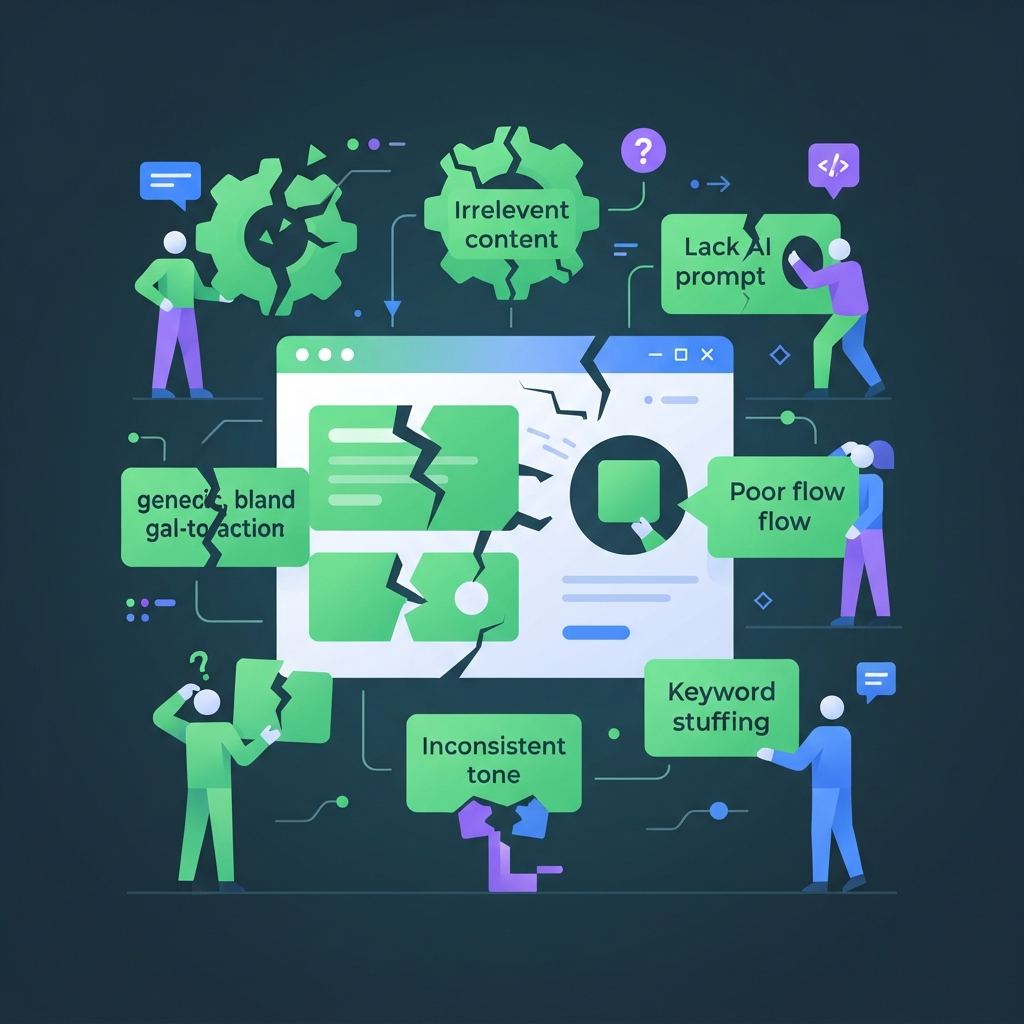
- Fabricated proof. Invented testimonials, invented percentages, invented logos. Delete, don't soften.
- Missing price. A page that hides the number loses the people who would have paid it and keeps the ones who won't.
- Sophistication mismatch. Promise-level copy sold into a market that has seen twenty competitors and wants the mechanism.
- Every section in the same rhythm. Six blocks of three sentences each. Vary length by hand; no prompt fixes this reliably.
- "We" instead of "you". Count the pronouns. If "we" outnumbers "you", rewrite.
- A CTA that describes the form. "Submit", "Request a demo", "Sign up" — name what the visitor gets instead.
- No human edit pass. Cut 20%, rewrite the first line and the button yourself, read it aloud once.
14. Cost and access: what running these prompts actually costs
Generating a full landing page draft with current frontier models costs cents, not dollars. A complete run of all ten prompts is roughly 6,000 input tokens and 9,000 output tokens, which at typical 2026 frontier pricing lands somewhere around $0.15. Add retries, two or three model comparisons on the voice-heavy prompts, and a second full pass after you fix your inputs, and a realistic end-to-end figure is well under a dollar per page. For comparison, a freelance conversion copywriter in the US or UK charges roughly $400–$1,500 for a landing page, or $75–$150 an hour. The honest framing is not "AI replaces that" — it is that the draft stops being the expensive part, and your time moves to the inputs and the edit pass, which is where it belonged anyway. You can see the per-tool pricing across the full tool directory if you want to check specific rates.
Free tiers vs. paid: when the ceiling bites
One page on a free tier is comfortable. The ceiling bites in three situations: long context (pasting a 40-feature list plus existing page copy), batching (ten client pages in a morning), and comparison (running the same voice prompt across three models). Free tiers also tend to route you to smaller models at busy times, which shows up most in prompts 4 and 6 as weaker instruction-following — banned words start reappearing.
One account vs. five subscriptions
The practical problem with the compare-two-models advice is subscriptions. Three separate monthly plans to run one prompt twice is poor arithmetic for anyone shipping a page a month. A single workspace with one balance solves the access problem without the commitment; what the plans cost is worth two minutes of reading before you sign up for anything annually.
15. What's next
Ten prompts will carry you through most pages, but the people who get consistent results stop treating prompts as recipes and start treating them as code they maintain. That means three things: keeping your own library with versioned prompts and a filled variable block per client, learning the iteration loop so you can fix a weak output instead of re-rolling it, and knowing when to hand the job to someone else. The honest limit of this article is that every prompt here is a template for a situation we guessed at. Yours will differ — different market sophistication, different objection, a feature list that needs its own constraint. Adapting them is a skill, and it is a smaller skill than it looks.
Turning these ten into your own library
Save each prompt in a plain text file with a version number and a one-line note on what you changed and why. Keep one filled variable block per offer. After five pages you will notice you always add the same two constraints — promote those into the template permanently. That is a prompt library, and it takes about an hour of maintenance a month.
Learning to write prompts instead of collecting them
Collected prompts stop working the moment your situation shifts. If you want to design the variables and run proper iteration loops yourself, learn to write prompts instead of collecting them — it is the difference between nine good drafts and one good draft plus eight retries. If your gap is on the other side, getting the copy into a live page that captures leads, there is an AI website builder course that takes it from copy to live leads.
Hiring it out if you won't do it yourself
Some of this is work you will genuinely never do, and recognising that early is cheaper than a half-finished page. You can hand the whole page to a prompt engineer who will build the variable block and the prompt chain with you, or, if the copy exists and the build is the blocker, a Webflow specialist can build and ship it in a few days. If you already have a page that converts badly and you want a diagnosis before rewriting anything, a done-for-you site audit will tell you whether the problem is the copy, the offer or the traffic. And if you turn out to be good at this, the same skill set is what companies hiring AI writers are actually screening for.
FAQ
Which AI model writes the best landing page copy?
There is no single winner. Reasoning-heavy prompts — ranking objections, auditing claims, scoring message match — favour models that follow multi-step instructions and admit gaps. Voice-heavy prompts like the hero and benefit rewrites vary noticeably by model, so run those twice and pick. The bigger quality difference comes from your inputs, not the model.
Can I use AI-generated landing page copy without editing it?
You can, and it will read like it. The minimum viable edit pass is four steps: cut roughly 20% of the words, rewrite the first line and the CTA button yourself, vary the paragraph lengths so sections stop sharing a rhythm, and read the whole page aloud once. That takes about ten minutes.
Will Google penalise AI-written landing pages?
Not for being AI-written. Google's guidance targets content produced at scale primarily to manipulate rankings, regardless of how it was made. A single landing page with real pricing, real proof and a specific offer is fine. What causes problems is thin, near-duplicate pages mass-produced across keyword variations.
How long should AI-generated landing page copy be?
Length follows price and risk, not a word target. A $19 self-serve tool often converts best at 250–400 words with one screen of proof. A $5,000 service usually needs 800–1,500 words because there are more objections to close. Write every section, then delete what your audience already believes.
What variables must I always give the prompt?
Seven: the offer in plain words, the audience and what they do instead today, your exact prices, the main objection in the words people actually say, your real proof (or the word "none"), tone as two adjectives, and the desired action. Omit any of them and the model fills the gap itself.
Can these prompts write copy in languages other than English?
Yes — add "write the output in [language]" and keep the variable block in that language too. One caveat: the banned-word lists are English-specific, so build an equivalent list of local filler for each language. Translating an English draft usually reads worse than generating natively from the same brief.
How do I keep AI copy in my brand voice?
Examples beat adjectives. Paste 200–300 words of your existing best copy and tell the model to match its sentence length, vocabulary level and use of contractions. Then add two or three banned constructions you personally never use. "Friendly but professional" means nothing to a model; a sample does.
Can AI invent testimonials or statistics for me?
It can, and it will if your prompt leaves room. Don't let it. Fabricated reviews breach consumer-protection rules in the UK, EU and US, and invented statistics are trivially checkable. Supply real quotes and let the model edit them, with a "what was cut" column so you can verify the edit.
How many headline variants should I generate before testing?
Generate eight across three angles, shortlist two or three with a five-second comprehension test, then test those. Testing more than three at once on typical landing page traffic means waiting weeks for significance. The angle you choose matters more than the wording within it.
Fill the seven-variable block, run prompt 1, and see what the model tells you it cannot support — that is usually the most useful ten minutes of the whole exercise.

