Poster with a headline
Minimalist concert poster with the headline “OPEN AIR” in bold sans-serif at the top, sunset gradient, silhouette of a crowd, print-ready layout
aspect: 3:4Put the exact text in quotes and say where it goes.

GPT Image API (OpenAI): ChatGPT image generation and editing through one Zerocoder key. Per-image pricing, OpenAI SDK, code samples, limits.
GPT Image is a family of OpenAI models for generating and editing pictures from a text prompt. One call creates an image from scratch, another call edits an existing one — swap a background, change color, add or remove an object, while keeping the rest of the picture untouched.
The family handles product shots, illustrations, UI mockups, social media visuals and quick edits on uploaded photos. You describe the result in plain text and get back a finished image, no manual masking or layers required.
One API key and one wallet work for every model in the lineup — gpt-image-2, gpt-image-2.5 and gpt-image-2-vip — plus every other model on the platform. Docs, the key and the balance all live in your cabinet; prices for every model are listed in GET /v1/models.
You send a prompt and a model id to POST /v1/images/generations, choosing a size or aspect ratio. For edits, you send the same prompt plus the source image (or up to four images) to POST /v1/images/edits. Both endpoints answer with a JSON object holding a temporary URL to the result — download it right away, since the link expires.
The live GET /v1/models price list in US dollars. Endpoint: /v1/images/generations
| Model | Price | Unit |
|---|---|---|
GPT Image 2recommended gpt-image-2 · OpenAIalso: openai-image:gpt-image-2, gpt-image | $0.0267 | per image |
GPT Image 2.5 gpt-image-2.5 · OpenAI | $0.0267 | per image |
GPT Image 2 VIP gpt-image-2-vip · OpenAI | $0.04 | per image |
Pick a model and a volume — the calculator uses the same formulas as API billing.
Prices from GET /v1/models in US dollars at the internal rate. Failed generations are not charged.
An OpenAI-Images-style request: POST /v1/images/generations with model, prompt and aspect. One image per call (n = 1); the response is a link in data[0].url, not b64_json — download the file right away. Photo edits go to POST /v1/images/edits.
Base URLhttps://zerocoder.comKey — in the x-api-key or Authorization: Bearer header
Model in the samples — gpt-image; any model from the table works
import requests URL = "https://zerocoder.com/api/v1/images/generations"H = {"x-api-key": "zc-sk-…"} r = requests.post(URL, headers=H, json={ "model": "gpt-image", "prompt": "Studio photo of a ceramic mug, soft light", "aspect": "1:1", # or 16:9 / 9:16 / 4:3 / 3:4})r.raise_for_status()# n=1: one image per call, as a URL (no b64_json)print(r.json()["data"][0]["url"])const endpoint = "https://zerocoder.com/api/v1/images/generations";const r = await fetch(endpoint, { method: "POST", headers: { "x-api-key": "zc-sk-…", "content-type": "application/json", }, body: JSON.stringify({ model: "gpt-image", prompt: "Studio photo of a ceramic mug, soft light", aspect: "1:1", }),});const out = await r.json();if (!r.ok) throw new Error(out.error.message);console.log(out.data[0].url); // n=1, a URL (no b64_json)curl https://zerocoder.com/api/v1/images/generations \ -H "x-api-key: zc-sk-…" \ -H "content-type: application/json" \ -d '{"model": "gpt-image", "aspect": "1:1", "prompt": "Studio photo of a ceramic mug, soft light"}'# → {"created":…,"data":[{"url":"https://…"}]}# n=1: one image per call, a URL (no b64_json);# the URL is temporary — download the file right away# JSON — image(s) by https URL or data URI, up to 4curl https://zerocoder.com/api/v1/images/edits \ -H "x-api-key: zc-sk-…" \ -H "content-type: application/json" \ -d '{"model": "gpt-image", "aspect": "16:9", "prompt": "Make it a night scene", "image": "https://example.com/photo.jpg"}' # multipart — files from disk (≤ 8 MB each)curl https://zerocoder.com/api/v1/images/edits \ -H "x-api-key: zc-sk-…" \ -F model=gpt-image -F aspect=16:9 \ -F prompt="Make it a night scene" \ -F "image[]=@photo1.jpg" -F "image[]=@photo2.jpg"
From a key to production — six steps based on the real /api/v1 contracts. Each step links to the relevant docs section.
Sign up, open the API section of your account, top up the balance and create a zc-sk-… key. One key unlocks GPT Image and every other model in the catalogue.
Read more →POST /v1/images/generations with model, prompt and aspect or size — the response has data[0].url with the finished GPT Image image.
Read more →The image URL is temporary — download the file to your own storage right away. For edits use /v1/images/edits: up to four source images by https URL, data URI or multipart, up to 8 MB each.
Read more →30 requests per minute per key: on 429 wait and retry with a growing pause; 402 — top up the balance; 400 — check model against GET /v1/models. Failed generations are not charged, so retrying is safe.
Read more →GET /v1/balance returns the balance and 30-day spend; every call's price comes back in the response — write it to your logs and set an alert threshold in your own monitoring.
Read more →Keep the key in server secrets, never in the frontend. For high GPT Image volumes contact us — the limit is raised individually and companies can pay by invoice. Check the observed stability on the status page.
Read more →HTTP Request node: POST to the /api/v1 endpoint, x-api-key header and a JSON body built from workflow fields. For video add a Wait node and a second HTTP Request on GET ?id= in a loop until completed.
HTTP “Make a request” module: POST, Body type JSON, x-api-key header. The response is parsed automatically — the image url or the answer text flows into the next modules.
Webhooks by Zapier → Custom Request action: POST, Data — JSON with model and prompt, Headers — x-api-key. Response fields are available to the following Zap steps.
In Apps Script use UrlFetchApp.fetch with method post, contentType application/json and a payload from the cells: prompts in one column, results written to the next one.
A bot on aiogram, grammY or Telegraf calls the same HTTP API: user message → model request → reply in the chat. For video — poll the status and send the file from the finished URL.
For text models the official OpenAI and Anthropic SDKs work with a swapped base URL and our key — your application code stays the same. Images and video are a plain HTTP call from any language.

More than a key: we help wire GPT Image and other models into your workflows — from audit to production, with invoice payment.
# 401 {"type":"error","error":{"type":"authentication_error","message":"Invalid or revoked API key."}}
# 402 {"type":"error","error":{"type":"billing_error","message":"Not enough API balance: …"}}
# 429 {"type":"error","error":{"type":"rate_limit_error","message":"…"}}   ← 30 requests/min per key
# 400 {"type":"error","error":{"type":"invalid_request_error","message":"Unknown model \"…\". See GET /v1/models."}}
# 413 {"type":"error","error":{"type":"invalid_request_error","message":"…"}}   ← > 8 MB per file / > 48 MB body
# 502 {"type":"error","error":{"type":"api_error","message":"…"}}                ← provider failed → nothing charged
Numbers come from the public /status summary: the share of successful requests over a period for the whole API and for the category as a whole (the summary has no per-model breakdown), no SLA promises. Failed generations are not charged, so retrying is safe.
Tracking since Aug 6, 2026.
An e-commerce team generates product photos on custom backgrounds without a photo studio
A marketing bot creates social media visuals from a campaign brief in Telegram
A design tool lets users edit uploaded photos — change color, remove objects, swap backgrounds
An indie app generates illustrations for blog posts and landing pages on demand
A SaaS onboarding flow produces custom avatar or cover images for new user profiles
An internal content pipeline batch-generates image variants for A/B testing ad creatives
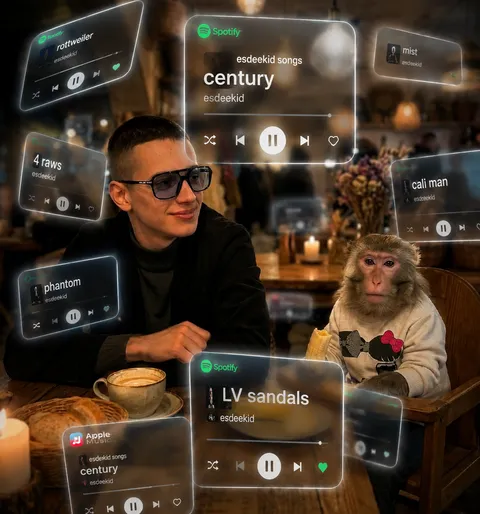
Works by Zerocoder users made with this model: preview, resolution, duration and date. Nothing was generated specifically for this page.
 14
14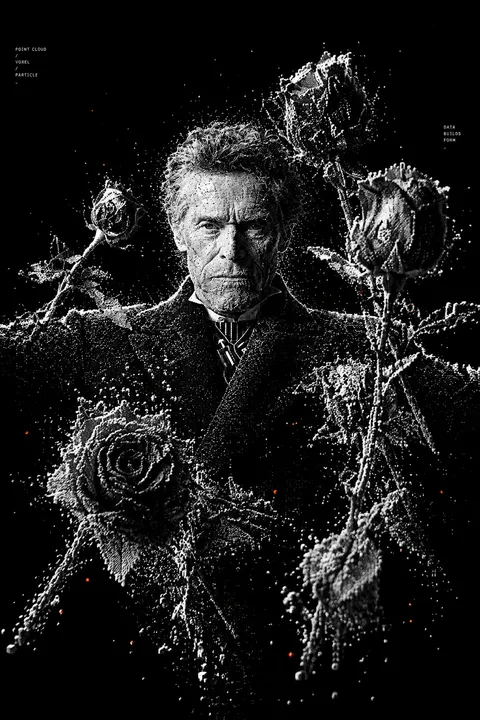 8
8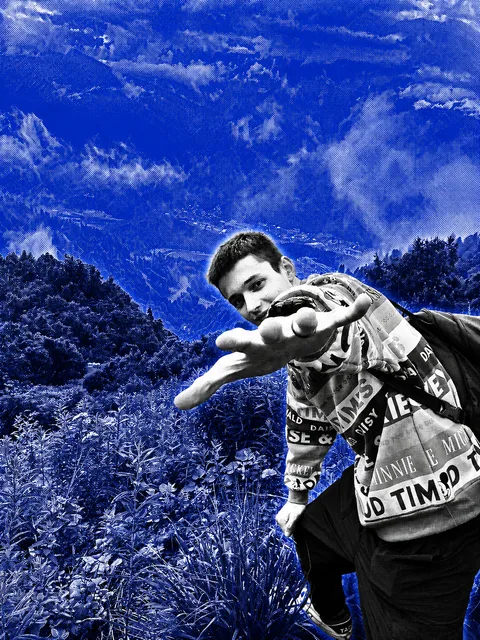
 10
10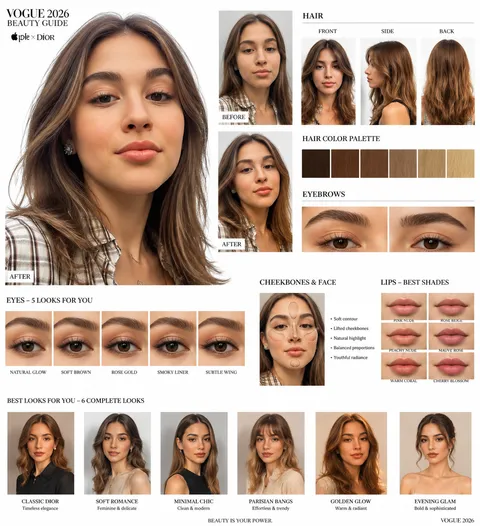
| Model | Date | Likes | Prompt |
|---|---|---|---|
| GPT Image 2 | 23 August 2026 | 14 | A cinematic, dreamlike AR visual featuring a central 151 photorealistic person surrounded by floating 3D Spotify/Apple Music interface cards |
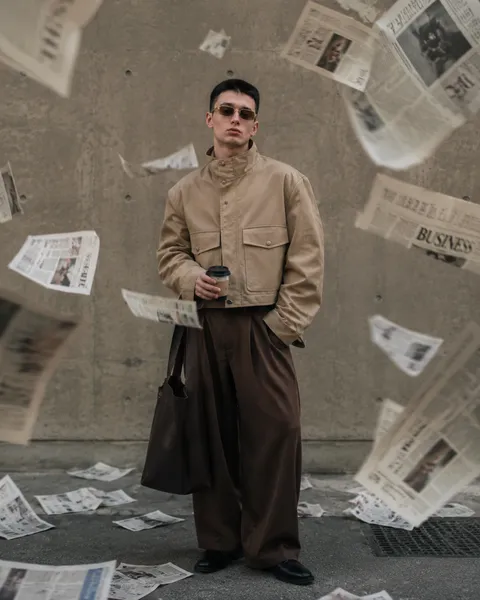
| GPT Image 2 | 23 August 2026 | 10 | Ultra-realistic iPhone editorial photo of a stylish young man against a raw concrete wall. Wearing an oversized beige cropped utility jacket |
| GPT Image 2 | 6 September 2026 | 8 | Transform the uploaded image into a high-contrast monochrome particle-render aesthetic. Subject reconstructed entirely from thousands of tin |
| GPT Image 2 | 26 August 2026 | 0 | Ultra-realistic RAW 8K HDR Apple × Dior × Vogue 2026 beauty guide. Use the uploaded face as the ONLY identity reference. Preserve identity 1 |
| GPT Image 2 | 23 August 2026 | 0 | Apply a high-contrast black-and-white halftone print effect to this image, dense dot-pattern shading with a glowing blue background bleed. D |

Copy the prompt and the parameters into the request body — the fields are named exactly as in the /api/v1 contract. Replace the angle-bracket placeholders with your material.
Minimalist concert poster with the headline “OPEN AIR” in bold sans-serif at the top, sunset gradient, silhouette of a crowd, print-ready layout
aspect: 3:4Put the exact text in quotes and say where it goes.
Set of nine flat line icons for a fintech app: wallet, card, transfer, chart, shield, bell, settings, support, gift; consistent stroke, on a three by three grid
aspect: 1:1Packaging mockup of a kraft paper coffee bag with a simple green label, studio lighting, front view, blank area for a logo
aspect: 1:1Change the jacket color to deep burgundy, keep fabric texture, stitching and lighting
endpoint: /v1/images/editsimage: https://…/jacket.jpgEditorial illustration about remote work: a cozy desk by a window with a laptop and plants, warm palette, no text
aspect: 16:9
Industries where this kind of generation becomes part of the workflow rather than an experiment.
Same key, same balance, same request contracts.
GPT Image is billed per finished picture: the version price is in the table above and in GET /v1/models. Editing via /v1/images/edits costs the same as generation with the same version. No ChatGPT subscription is needed — you pay only for the GPT Image pictures you actually receive.
Install the official openai package, set base_url to zerocoder.com/api/v1 and api_key to your zc-sk-… key, then call images.generate with a model from the GPT Image table and a prompt. For edits use /v1/images/edits — JSON with a link to the source or multipart with a file. Without the SDK plain requests works: shell, Python and Node.js samples are above.
One image per request (n above one is not supported), format via aspect 1:1, 16:9, 9:16, 4:3, 3:4 or size 1024x1024, 1792x1024, 1024x1792. For editing GPT Image accepts up to 4 sources of 8 MB each and at most 48 MB per request. The shared key limit is 30 requests per minute across all endpoints; above that you get 429.
Exact GPT Image version ids are printed by GET /v1/models — the same table above. The newer version follows long prompts more precisely and renders text in the image better; cheaper rows suit bulk creatives and drafts. Try a couple of prompts on the cheap version before moving the flow to the expensive one: the request format is identical for all GPT Image versions.
No. When the provider fails, GPT Image charges nothing — the request returns an error and the balance stays the same. Only responses with a finished file in data[0].url are paid for. Note that the image link is temporary: download the file right away, otherwise a repeat request becomes a new paid generation.
Yes. In the API account a company requests an invoice, pays it from the corporate account, and the amount lands on the API balance — GPT Image keeps working with the same key. Individuals pay by card; no OpenAI account is needed. Accounting documents are available on request.
There is no free tier in the API: the wallet starts with a minimum first top-up and every GPT Image picture is charged at the list price. You can confirm for free that the model draws the banners and infographics you need in the Zerocoder studio and the catalogue tools — then move the winning prompts into the API.
Yes, that is a GPT Image strength: quoted lettering with the language and placement specified comes out legible, and diagrams and slides are assembled from a detailed brief. List every element and its place on the layout — the model follows the prompt structure. Check the numbers in infographics by eye: the model places them on the layout but does not calculate.