Fluent is not the same as correct
Here's the uncomfortable truth about modern AI tools: they write beautifully even when they're wrong. A model can hand you a paragraph with perfect grammar, a confident tone, and a fabricated statistic buried in the middle — and if you're judging by "vibes," it reads like gold. That's the trap. Most people evaluate AI output the way they'd skim a colleague's email: does it sound reasonable? But "sounds reasonable" is exactly what large language models are optimized to produce, whether or not the underlying claim holds up. If you're shipping AI text to customers, wiring it into an automation, or handing it to a junior teammate as a template, gut-feel review doesn't scale and it doesn't catch the errors that matter. This guide gives you a repeatable system: six dimensions that actually predict quality, a copy-paste scoring rubric, task-specific checklists, and self-check prompts you can run in the next five minutes.
A quick aside before the methodology: the fastest way to judge output is to see the same prompt answered by several tools at once. Zerocoder puts 25+ AI models and utilities in one workspace on a single balance, so you can line up answers side by side, run your checklist, and skip juggling five separate logins and bills.
Why "sounds good" is the trap
"Sounds good" is a trap because fluency and correctness are two separate things, and language models are trained to maximize the former. An AI answer can be grammatically flawless, well-organized, and completely wrong — and the polish actively hides the error. The single biggest mistake in judging AI output is treating surface quality as a proxy for factual quality. They don't correlate. A confident, tidy paragraph with one invented number is more dangerous than a clumsy one, because you're less likely to check it. To evaluate AI output quality reliably you have to consciously separate how it reads from whether it's true, complete, and on-task. The rest of this guide is built around that separation: score the substance first, the style second.
Fluency masks errors
Models generate the most statistically likely next words, and the likely-sounding sentence is often not the accurate one. This is why a fabricated citation looks exactly like a real one — same format, plausible author, believable year. Your brain pattern-matches on the shape of a correct answer and moves on. The fix is deliberate friction: pick one factual claim per paragraph and ask "could I verify this?" If a claim is specific (a number, a date, a quote, a source) and you can't verify it in under a minute, treat it as unproven until you do.
The confidence problem (no built-in uncertainty)
Most consumer AI tools don't tell you how sure they are. They phrase a wild guess and a well-established fact in the same steady voice. There's no little "I'm 40% confident here" flag. That means you can't offload judgment to the tone of the answer — the tone is constant regardless of reliability. A useful habit: ask the model to mark which parts of its answer it is least confident about. It won't be perfect, but it surfaces the soft spots you should double-check before shipping.
The 6 dimensions of AI output quality
AI output quality is best judged across six dimensions: accuracy, faithfulness, relevance, completeness, coherence, and safety. Scoring against all six — instead of a single "is this good?" — is what turns evaluation from a gut call into something repeatable. Accuracy asks whether claims match reality. Faithfulness asks whether the answer sticks to the source you provided. Relevance asks whether it answered the actual question. Completeness asks whether anything important is missing. Coherence covers structure and readability. Safety covers tone, policy fit, and anything that could get you in trouble. Each dimension catches a different failure mode, and a piece can ace one while flunking another — a summary can be beautifully written (coherence) yet invent a fact that wasn't in the document (faithfulness). Grading each separately is the whole point.
Accuracy / factual correctness
Accuracy means the claims match reality — the numbers, names, dates, and cause-and-effect statements are true in the world, not just internally consistent. This is where hallucinations live. Check the specific, checkable claims: a "2024 study" should have an author and a real title; a market size figure should trace to a source you can open. If the model can't produce a verifiable source when asked, downgrade the claim. Accuracy is the dimension most worth your manual time, because it's the one AI gets confidently wrong.
Faithfulness (does it stick to the source you gave it?)
Faithfulness is distinct from accuracy: it measures whether the answer stays true to the source material you provided, regardless of the wider world. If you paste a contract and ask for a summary, a faithful answer contains only what's in that contract — no helpful "industry-standard" clauses the model added on its own. Unfaithful output is the classic summarization failure: it smuggles in outside "knowledge" or softens a term the source stated bluntly. For any task where you supplied the source (summaries, extraction, rewrites, RAG answers), faithfulness matters more than raw accuracy.
Relevance (did it answer the actual question?)
Relevance asks whether the output addresses what you actually asked, not an adjacent question it found easier. Models love to answer the question you almost asked. You request "three objections a CFO would raise about this tool" and get three generic benefits instead. Re-read your prompt, then the answer, and check they're about the same thing. Off-target-but-well-written is one of the most common quiet failures — it passes a skim and wastes the reader's time.
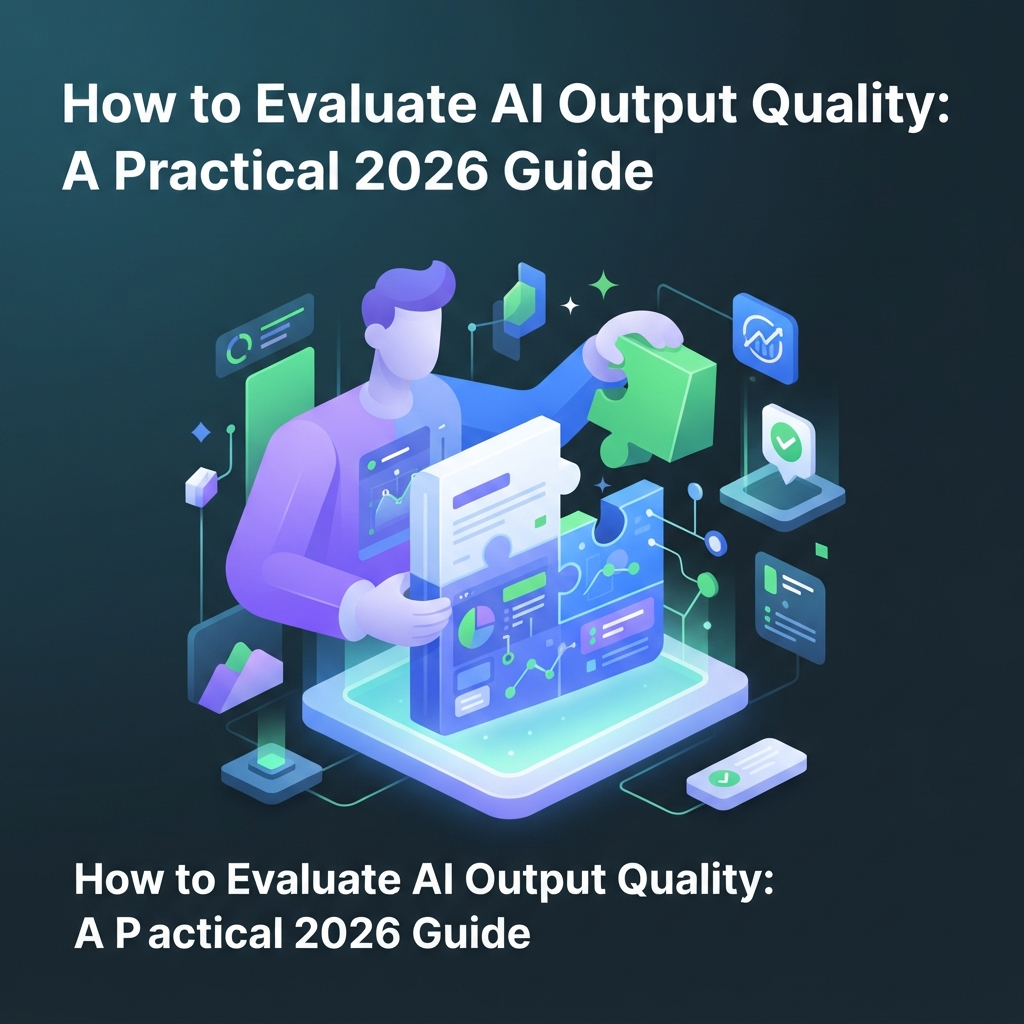
Completeness
Completeness measures whether the answer covers everything the task required and nothing critical is missing. If your brief said "cover pricing, setup time, and integrations," an answer that nails pricing and setup but skips integrations is incomplete even if every word is true. Completeness also has a length dimension: too short and it's thin; padded to hit a word count and it's bloated. A Character & word counter is a quick, objective way to check length against the brief before you get into the harder judgment calls.
Coherence & structure
Coherence covers whether the output flows logically, uses consistent terminology, and is formatted for its purpose. This is the dimension "sounds good" actually measures — so it's the easiest to over-weight. Check that the argument doesn't contradict itself, that headings and lists are used where they help, and that the reader can act on it without re-reading. Coherence is necessary but never sufficient; a piece can be a 2/2 here and still fail on accuracy.
Safety / tone / policy fit
Safety and fit ask whether the output is appropriate to ship: right tone for the audience, no legal or brand risk, no invented promises, no content that violates your policies. A cold sales email that reads like a hostage note fails here even if it's accurate and complete. For regulated topics (health, finance, legal), this dimension also covers whether the answer over-claims or gives advice it shouldn't. It's the last gate before "send."
Turn dimensions into a score: the rubric
To turn the six dimensions into a repeatable grade, score each one from 0 to 2 — 0 means it fails, 1 means partial or needs a fix, 2 means it's solid — for a total out of 12. A practical shipping threshold is ≥9/12 with no single dimension scoring 0. That second rule matters: a zero on accuracy or safety is a hard fail no matter how high the total, because one fabricated fact or one policy breach sinks the whole piece. Use the total to compare drafts and models; use the "no zeros" rule as the veto. Here's the rubric in a form you can copy into a spreadsheet or a notes doc.
| Dimension | 0 — fail | 1 — partial | 2 — solid |
|---|---|---|---|
| Accuracy | Contains a false or unverifiable claim | Mostly right, minor unchecked claim | All checkable claims verified |
| Faithfulness | Adds facts not in the source | Slight drift or paraphrase risk | Stays strictly within the source |
| Relevance | Answers a different question | Partly on-topic, some filler | Directly answers the ask |
| Completeness | Misses a required element | Covers most, one gap or padding | Covers everything, right length |
| Coherence | Contradicts itself / hard to follow | Readable, some structure issues | Clear, well-structured, consistent |
| Safety / fit | Wrong tone or policy/legal risk | Usable with tone tweaks | Ready to ship as-is |
Score the same output twice a week apart and you'll land within a point of yourself — that consistency is the payoff versus "I think this one's better."
The copy-paste quality checklist
Below is a task-agnostic checklist of yes/no items you can copy and run against any AI output in a couple of minutes. It's the fast version of the rubric: if you can't answer "yes" to an item, that dimension needs work. Every "no" is a flag; a "no" on any accuracy or safety item is a stop. Keep it somewhere you'll actually use it — pinned in your notes app or at the top of your prompt doc.
- Did it answer the exact question I asked (not an adjacent one)?
- Can I verify every specific number, date, and name?
- Are all cited sources real and openable?
- Does it stick to the source I provided, with nothing invented?
- Is every required element from my brief present?
- Is anything important missing that a reader would expect?
- Is the length appropriate — not padded, not thin?
- Does the answer avoid contradicting itself?
- Is it structured so I can act on it without re-reading?
- Is the terminology consistent throughout?
- Is the tone right for the intended audience?
- Are there any legal, brand, or policy risks?
- Does it avoid over-claiming or making promises I can't keep?
- Did it flag its own uncertainty where relevant?
- Would I be comfortable putting my name on it as-is?
- If I ran the same prompt again, would I expect a similar-quality answer?
Checklists by task type
The general checklist works everywhere, but each task type has failure modes worth calling out specifically. The rule of thumb: factual answers live or die on accuracy, source-based tasks on faithfulness, content on relevance and tone, and code on whether it actually runs. Match your scrutiny to the task — you don't need to hunt for hallucinated citations in a rewrite of your own copy, and you shouldn't skip a plagiarism check on published content. Use the four mini-lists below as add-ons to the main checklist, not replacements.
Factual / research answers
- Every claim traces to a source you can open.
- No "according to a recent study" without the study.
- Numbers are internally consistent (percentages add up).
- Dates and current-event claims aren't past the model's knowledge cutoff.
- The answer distinguishes established fact from opinion or estimate.

Written content (blog, email, ads)
For content, mechanics and search fit are as checkable as substance. Run a mechanics pass with Grammarly for grammar, clarity, and tone consistency — it catches the coherence issues your eye glides over. Then check relevance for search: paste the draft into a Keyword density checker to confirm you're on-topic without stuffing the same phrase into every sentence. Beyond the tools, ask: is the angle actually useful or just generic filler? Does the intro promise something the body delivers? Would a real person in your audience keep reading?
Code & automations
- It runs without editing (the real pass/fail gate).
- It handles the obvious edge cases and empty inputs.
- No made-up library functions or APIs that don't exist.
- Comments match what the code actually does.
- It doesn't silently swallow errors you'd want to see.
Summaries & extraction
Summaries are the classic faithfulness test: the answer must contain only what's in the source. When you use an AI Summarizer on a report or transcript, spot-check by picking two claims from the summary and finding them in the original — if you can't, it invented them. Also confirm it didn't drop the one point that changes the conclusion (summaries love to smooth away the caveat). For extraction (pulling names, dates, line items), check completeness: did it get all of them, or just the first few?
Self-check & judge prompts (make the AI grade itself)
You can make the model do the first pass of evaluation by asking it to critique and revise its own answer before you ever read it. This "self-check" step reliably catches a chunk of obvious errors — unsupported claims, missing requirements, tone slips — at near-zero cost. It won't catch everything (a model that hallucinated a source often can't tell the source is fake), so it complements your checklist rather than replacing it. If you want to build this into a dependable habit and understand why certain prompt structures work better, Prompt Engineering from Scratch walks through the patterns end to end. Below are two prompts you can lift directly.
The "critique your own answer" prompt
Before finalizing, review your draft against six dimensions: accuracy (are all claims verifiable?), faithfulness (does it stick to the source I gave?), relevance (does it answer my exact question?), completeness (is anything required missing?), coherence (is it clear and consistent?), and safety (is the tone and content appropriate to ship?). List every issue you find, then give me a corrected final version. For any claim you can't verify, mark it [UNVERIFIED] instead of stating it as fact.
The last sentence is the workhorse — forcing an [UNVERIFIED] tag turns silent guesses into visible flags you can check.
LLM-as-judge for comparing two outputs (with a warning about its limits)
You are a strict evaluator. Here is a task and two answers, A and B. Score each from 0–2 on accuracy, faithfulness, relevance, completeness, coherence, and safety (max 12). Do not reward length or confident phrasing. Penalize any unverifiable claim. Return a table of scores per dimension, the total for each, and a one-line reason for the winner.
Two honest limits. First, LLM judges have biases — they tend to prefer longer answers and the first option shown, so swap A/B positions and run it twice. Second, a model is a weak judge of facts it also gets wrong; use it to triage and compare, not as the final word on accuracy. Treat the judge as a fast first opinion, then apply your own checklist to the winner.
How to actually run the comparison (the practical part)
The practical way to evaluate AI output is to run the same prompt through several models, score each with your rubric, and log the results so you're choosing on evidence instead of memory. Different models genuinely score differently on the same task — one is stronger at faithful summaries, another at code, another at tone — which is why picking a single "best" model in the abstract is a waste of time. It's smarter to route each task to the right model based on how it actually performs on your work. If you want to see what an applied head-to-head looks like, our write-up comparing Claude and ChatGPT head-to-head runs the same tasks through both and scores them.
The friction most people hit is logistics: comparing four tools means four tabs, four logins, and four bills, so they give up and just trust whichever one they already pay for. Doing it in a single workspace removes that friction — you can browse 25+ AI tools and run one prompt across several of them on the same balance, then paste the outputs into a two-column doc and fill in your rubric. Keep a running log: prompt, models tested, per-dimension scores, winner. After a dozen entries you'll know which tool to reach for by task, and you'll have receipts.
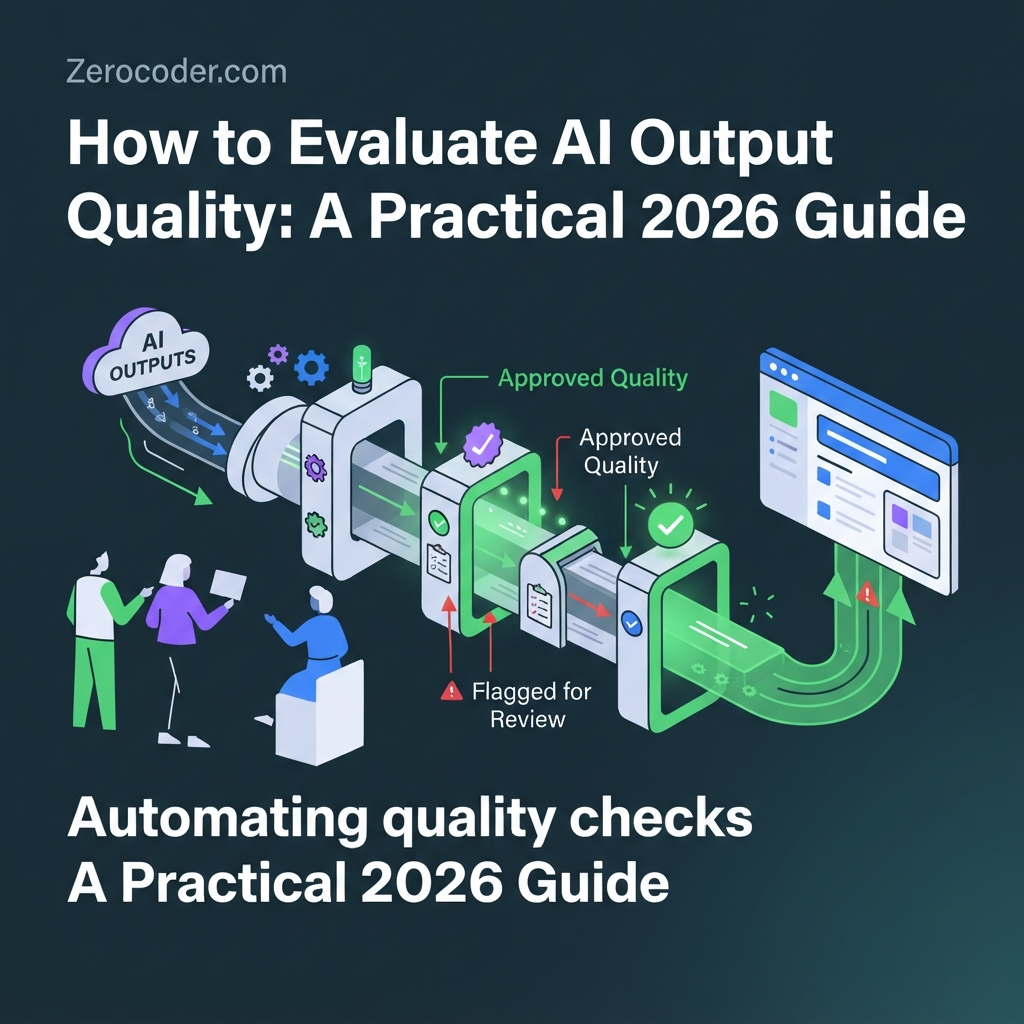
Automating quality checks for teams
Move from a manual checklist to automated quality gates once you're running the same kind of AI task repeatedly and volume makes eyeballing every output impractical. The pattern is a pipeline: a self-check prompt runs first, an LLM-as-judge scores the draft against your rubric, anything below your threshold gets flagged, and a human reviews the flagged cases. This is human-in-the-loop, not human-out-of-the-loop — the automation triages so people spend their attention where it counts. For teams standardizing this so juniors don't ship weak AI text, the ChatGPT for Work and Business course covers building shared prompts and review workflows. And if you'd rather have the whole evaluation and QA process set up and run for you, a done-for-you AI QA audit is the shortcut. Whatever the setup, keep the human veto on accuracy and safety — those are the two dimensions you never fully automate away.
Common mistakes when judging AI output
The most common evaluation mistakes are trusting citations you never opened, testing on a single easy example, and moving the goalposts to justify the answer you already liked. Citations are the big one — models fabricate real-looking sources constantly, so a link or title you didn't click is not evidence. Testing on one friendly example tells you nothing about how the tool handles the hard cases you'll actually face; use at least a handful of varied prompts. "Goalpost moving" is subtler: you decide the answer is good, then rationalize each weakness. Set your rubric before you read the output to avoid it. Two more: judging with no baseline (you can't say an answer improved if you never scored the previous one) and ignoring cost and latency (a marginally better answer that takes 30 seconds and triple the credits may not be the better choice). Finally, if a tool that used to work suddenly produces worse answers, don't assume you broke your prompt — model updates and provider changes cause real quality dips, and it's worth understanding why an AI tool suddenly gives worse answers before you rewrite everything.
Pricing & access: what evaluation actually costs you
Evaluating AI output can cost nothing or a few cents per check, depending on how much you automate. The manual approach — running your checklist and rubric by hand — is free; your only cost is the minute or two it takes. LLM-as-judge calls cost the same as any normal prompt, so scoring two outputs adds maybe a couple of extra generations per item. The expensive part isn't the evaluation, it's the setup people default to: paying for three or four separate AI subscriptions just so they can compare tools. You end up with unused monthly fees on services you touch twice a week. Running everything on a single balance means you only pay for what you actually generate, whether that's a summary, a judge call, or a code draft — and you can test a new model against your rubric without signing up for another plan. When you're evaluating, cheap-per-use beats fixed monthly, because the whole point is trying many tools on the same task.
What's next
Turn this into a habit in three steps. First, build a personal rubric — copy the 0–2 table, tweak the dimension descriptions to your work, and keep it where you write prompts. Second, save your self-check and judge prompts as reusable snippets so evaluation is one paste, not a rewrite each time. Third, re-test after model updates: the day a tool "feels off," pull three of your logged prompts, re-run them, and re-score against the same rubric — that's how you tell a real regression from a bad day. If you want to go deeper on prompting and evaluation as a skill, take an AI course and systematize it properly. The goal isn't to distrust every answer; it's to have a two-minute process that tells you, on evidence, which answers are safe to ship.
Frequently asked questions
How do I know if an AI answer is factually correct?
Check the specific, verifiable claims — numbers, dates, names, and sources — one at a time. If a claim is precise but you can't confirm it in under a minute, treat it as unproven. Ask the model for its sources and actually open them; fabricated citations look identical to real ones. Fluent phrasing is not evidence of accuracy.
What's the difference between accuracy and faithfulness?
Accuracy means the answer matches reality — the facts are true in the world. Faithfulness means the answer matches the specific source you provided, adding nothing extra. A summary can be faithful (only what's in the document) but the document itself could be wrong. For source-based tasks like summaries and RAG, faithfulness matters most; for open questions, accuracy does.
Can I trust AI to grade its own output?
Partly. A self-check prompt reliably catches obvious issues — missing requirements, tone slips, unsupported claims — at near-zero cost, so it's a great first pass. But a model that hallucinated a fact often can't tell the fact is wrong, so it's a weak judge of its own accuracy. Use self-check to triage, then apply your own checklist to what remains.
How many test cases do I need?
More than one, and ideally varied. A single easy example tells you nothing about hard cases. For quick decisions, five to ten prompts spanning your typical tasks — plus a couple of tricky edge cases — give a fair read. The point is to include the situations that actually break tools, not just the friendly ones that make every model look good.
What's a good pass threshold?
Score each of the six dimensions 0–2 for a total out of 12, and require at least 9/12 to ship — with one hard rule: no dimension may score 0. A zero on accuracy or safety is an automatic fail regardless of the total, because one fabricated fact or one policy breach sinks the whole piece. Adjust the number up for high-stakes content.
How do I compare two AI models fairly?
Give both the exact same prompt, score each with the same rubric, and log the per-dimension results. Run each model on several tasks, not one, since strengths vary by task type. If you use an LLM-as-judge, swap the order of the two answers and run it twice to cancel position bias. Compare on evidence, then pick the winner per task rather than overall.
Why did my AI tool's answers get worse suddenly?
It's often not your prompt. Providers update models, change defaults, and adjust routing, and those changes can cause real quality dips overnight. Before rewriting everything, re-run a few of your logged prompts and re-score them against the same rubric to confirm it's a regression. Our guide on why an AI tool suddenly gives worse answers covers the usual causes and fixes.
Do I need special software to evaluate AI output?
No. Manual evaluation needs only your rubric and a two-column doc for side-by-side comparison. Free utilities help with specific checks — a word counter for length, a grammar checker for mechanics, a keyword tool for search relevance. Software becomes useful only when you're automating quality gates at volume; for individual review, a checklist and a place to test are enough.
How do I check AI-written content for plagiarism or keyword stuffing?
Run the draft through a Keyword density checker to confirm you're on-topic without repeating the same phrase unnaturally — stuffing hurts both readers and rankings. For originality, run a plagiarism check before publishing, since AI can reproduce phrasing from its training data. Pair both with a mechanics pass in Grammarly so clarity and tone are covered too.
Is there a quick checklist for non-technical people?
Yes. Ask five questions: Did it answer what I actually asked? Can I verify every number and source? Is anything important missing? Is the tone right to send? Would I put my name on it as-is? If any answer is "no," fix that before shipping. It takes about two minutes and catches most of the errors that matter.

